AI Video Generation: Process and Challenges
An AI video generator creates short video clips from text or images. This technology is powerful, but creators face significant ai video generator process challenges. The main problems are consistency, creative control, and the large amount of labor needed. The workflow is not a simple one-click solution. It is an iterative cycle of prompting, generating, and refining clips to build a story. AI filmmaker Alexander Vail states that using an AI video generator requires a structured approach. This method helps manage the technology's limits and achieve a specific creative vision. This guide explains that process and its challenges.
How an AI Video Generator Works: An Iterative Process
An AI video generator works by first creating a high-quality still image and then applying motion to it. This two-step generator process gives creators more control over the final output. AI filmmaker and Leyline creator-in-residence Alexander Vail uses a workflow that breaks creation into clear stages.

- Establish Foundational Assets: The process starts with pre-production materials like storyboards and "turnaround sheets." These references define the look of characters and objects, acting as a visual guide for the AI.
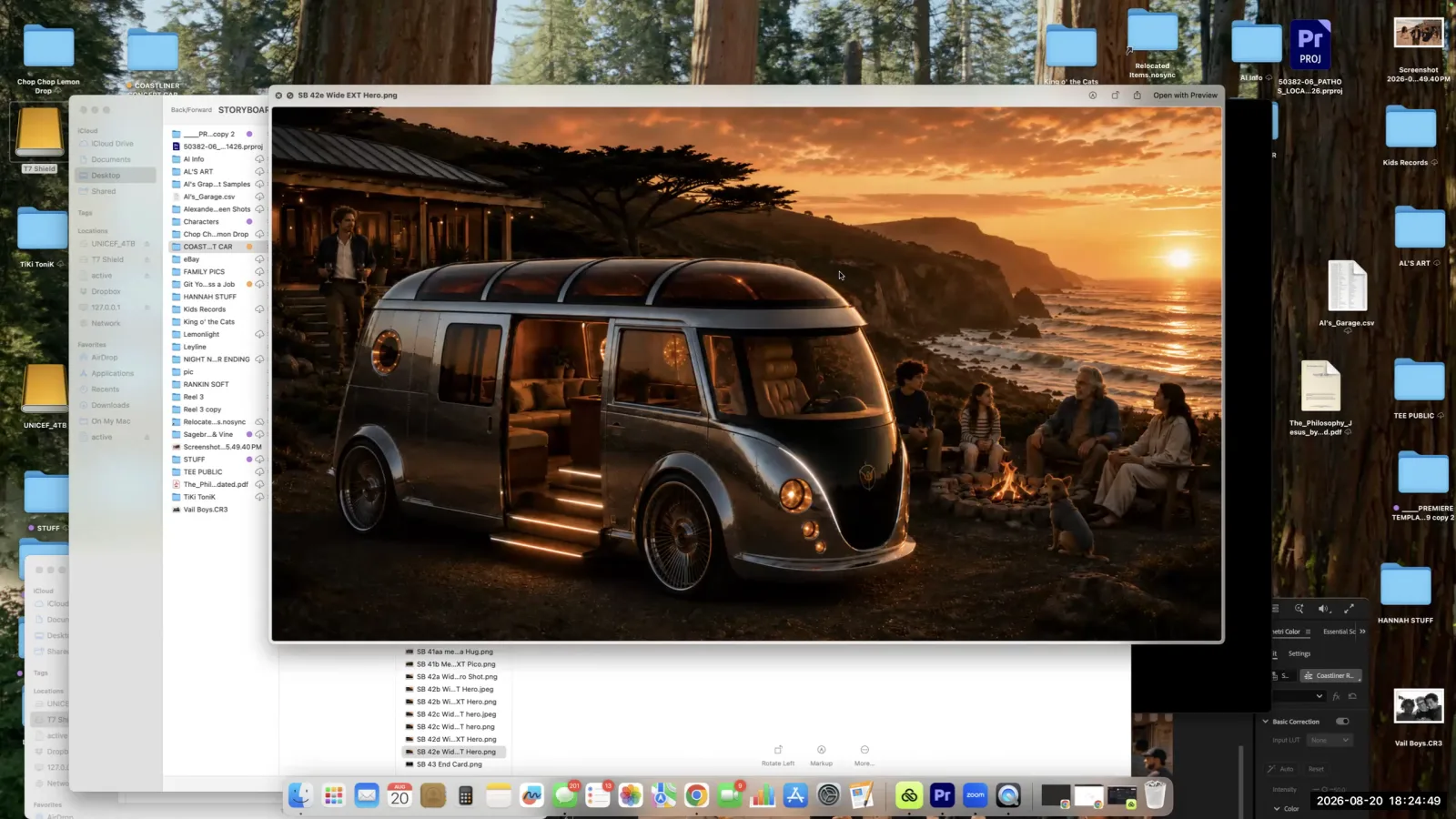
- Generate the Still Image: Next, you write a text prompt to generate a single, static frame. This prompt uses the foundational assets as a reference. For example, a prompt could ask for a specific family in a car, based on the turnaround sheets. This step is a major hurdle. It often produces many unusable results, which Vail calls "C images," before a good frame is made.
- Apply Motion with a New Prompt: Once you have a good still image, you feed it back into the video generator. You then use a new, separate prompt to describe the motion. This could be a simple camera movement like, "slow push in." This separation of image and motion is a key part of the current workflow for creating an AI video.
The Core AI Video Generator Process Challenges
The core ai video generator process challenges are maintaining visual continuity and managing illogical AI "hallucinations." These two issues are the main obstacles for creators trying to build a narrative from generated clips. Alexander Vail notes these problems require constant attention and creative problem-solving during the production of an ai video.
- Maintaining Continuity: Consistency is a "huge problem" for any AI filmmaker. The AI does not remember a character or object from one generation to the next. Vail gives an example of trying to create a "three-legged Chihuahua." Despite many prompts, the video generator often created a standard four-legged dog. This is because its training data mostly contains images of four-legged dogs. Overcoming this requires persistent re-prompting and using reference images.
- Dealing with AI Hallucinations: The AI can generate strange or impossible visuals, especially in complex scenes. Vail describes generating traffic scenes where the AI produced a "half car" or "trucks going the wrong way on the freeway." These "hallucinations" happen because the AI is a pattern-matching system, not a reasoning engine. It does not understand the logical rules of a traffic scene. This leads to nonsensical outputs that must be discarded, increasing the number of attempts needed for a usable clip.
Managing Consistency with the Turnaround Sheet Method
Creators can manage consistency in an AI video by using reference materials called "turnaround sheets." A turnaround sheet is a visual guide that shows a character or object from multiple angles, such as the front, side, and back. This technique comes from traditional animation and is a practical solution to one of the biggest ai video generator process challenges.
Alexander Vail explains that he prepares these sheets before starting the generator process. When writing prompts, he tells the AI to render "this car and this family" based on the reference images. By providing a clear, multi-angle guide, the turnaround sheet helps the AI produce a more consistent look. This reduces the number of wasted generations that do not match the established visual style.
The True Cost of Using an AI Video Generator: Time and Iteration
The main cost of using an AI video generator is the time and labor required for many iterations, not the financial expense. This effort is often called "sweat equity." AI filmmaker Alexander Vail says the monetary cost can be "practically nothing." He generated every clip for one commercial project on the Leyline platform at a minimal financial cost.
Platforms often encourage experimentation with free credits. For instance, Leyline gives new users 20 free credits when they register. This allows them to start generating without paying upfront.
However, the real investment is the volume of work. The generator process has a high failure rate. Vail estimates it takes an average of seven attempts to get one usable video clip. For a 90-second commercial with 45 clips, this workflow required about 350 total generations. This trial-and-error reality shows the intensive nature of creating an AI video. The process is also complicated by different models performing differently. Vail used various models, including "Kling 3.0" and "Sora," and found that some generators were better for certain tasks without a predictable pattern.
A Concrete Example: Assembling a 90-Second Commercial
Assembling a 90-second commercial with an AI video generator shows the entire workflow and its challenges in practice. The project by AI filmmaker Alexander Vail serves as a useful case study.
The project needed 45 unique video clips. Based on Vail's average of seven attempts per clip, the project required around 350 total generations. This highlights the low success rate as a central challenge. Each of these 350 generations involved careful prompt writing and review.
To manage consistency, Vail used pre-made turnaround sheets for his characters and props. This was critical for making sure the family and their car looked the same in every shot. He battled common ai video generator process challenges, like the AI changing character designs (the Chihuahua example) or creating illogical scenes (the traffic example). He navigated these issues by using different AI models like "Kling 3.0" and "Sora" for different shots. He learned which tool was best for a specific task through experimentation. The entire project was made on the Leyline platform. It shows that a professional result is possible with enough "sweat equity" and minimal financial cost.
Frequently asked questions
What is an AI video generator? An AI video generator is a tool that creates video clips from text or image prompts. The generator process is highly iterative and requires many attempts to get a usable result for a project.
What are common problems with AI video generators? Common problems include maintaining consistency with characters and objects across different clips and dealing with AI "hallucinations." According to AI filmmaker Alexander Vail, these are moments when the video generator creates illogical visuals, like a car cut in half.
How much does AI video generation cost? The financial cost can be low. The main investment is the time and effort, or "sweat equity," needed for many iterations. Platforms like Leyline often provide free starting credits to help creators experiment with the AI video technology.
How many generations does it take to make an AI video? On average, it can take seven generations to get one usable clip. A 90-second project with 45 clips could require around 350 total generations. This high volume shows the significant labor involved in the creative process.
Keep learning
This guide is part of the Creating an AI-Generated Commercial masterclass lesson.
Related guides:
Comments
Sign in with your Leyline account to join the conversation.