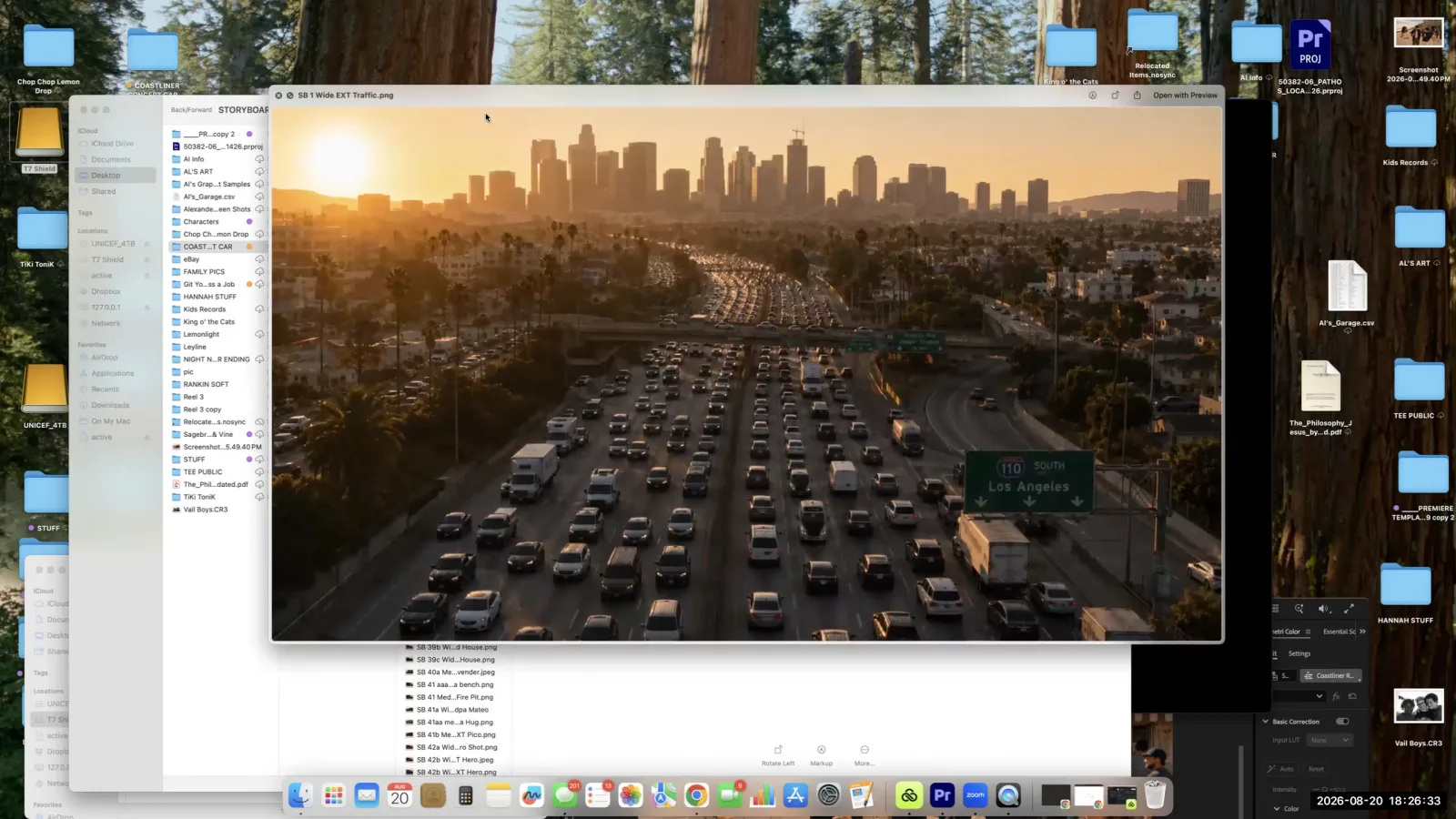
AI filmmaking is a creative process that combines traditional filmmaking principles with artificial intelligence tools to generate visual and audio content. This approach requires a structured methodology involving planning, iterative generation, and detailed post-production. According to AI filmmaker and Leyline creator-in-residence Alexander Vail, creator of the noir proof-of-concept Night Never Ending, a successful project depends on a clear vision and specific techniques to manage the unique challenges of AI, such as maintaining visual consistency and directing the AI's output.
How should you start an AI film project?
Start your AI film project by defining the end scene or "hero shot." AI filmmaker Alexander Vail recommends this approach to establish a clear creative target from the very beginning of the process. This method provides a destination for the project, ensuring all preceding creative decisions serve the final, most impactful moment of the film.
In developing his own work, Vail explains that his starting point was this key shot. By visualizing the most important frame or sequence first, you create an anchor. This makes it easier to build the narrative and visual journey that leads to that climactic point, preventing the project from becoming a series of disconnected, aimless generations.
Why is storyboarding essential in AI filmmaking?
Storyboarding is essential because it provides the "spine" or "map" for your entire AI film. This visual plan is critical for organizing the numerous clips you will generate and ensuring they form a cohesive narrative. Without a storyboard, it's easy to get lost in the sheer volume of generated content.
"The whole thing is storyboard, right? Storyboard, storyboard, storyboard," says Alexander Vail. He emphasizes that this document is your map for the entire production. Since you will end up with a large number of clips, the storyboard provides the foundational structure that connects them all. It dictates which shots are necessary and how they fit together to tell your story effectively.
How do you maintain visual consistency in an AI film?
Maintain visual consistency by creating and using "turnaround sheets" for characters, objects, and locations. These reference documents are vital for ensuring continuity across multiple AI-generated shots, which Alexander Vail identifies as a significant challenge in the medium.
Continuity, Vail notes, is a "huge problem" in AI shoots, much as it is in live-action filmmaking. His solution is to create detailed turnaround sheets before generation. For his project, he developed sheets for the main family, their car (the "coastliner"), and the grandparents. He advises that a good turnaround sheet should include a three-quarter shot, a front view, a back view, a side view, and a specific color palette. Following this practice, Vail says, "will just, it'll save you 20 iterations" and helps you get the result you're looking for much faster.
How do you overcome common AI prompting challenges?
Overcome common AI prompting challenges through persistent and specific iteration. AI models have inherent biases, such as defaulting to movement or correcting what they perceive as errors, which requires you to wrestle with the tool to achieve your specific creative vision.
Alexander Vail shares two concrete examples of this struggle. First, getting an AI to consistently generate a "three-legged Chihuahua" was a "huge problem" because the model kept trying to add a fourth leg. Second, when prompting for a scene of cars "stuck in traffic," the AI defaulted to showing cars moving at 60 miles per hour. The AI associates the word "car" with motion, making it difficult to generate a static scene. Achieving the desired outcome in both cases required a determined and iterative prompting process to override the AI's tendencies.
How many attempts does it take to generate one clip?
It takes an average of seven attempts to generate a single usable clip for an AI film. AI filmmaker Alexander Vail explains that the number can range from five to ten iterations per clip, depending on the complexity of the shot and the specific generator being used.
"For every clip... did it take 5, 7, 10 to get, you know, let's say an average of maybe seven," Vail states. He also mentions that while he often used a tool he calls "a Kling 3.0" as his default, he also employed others like Sora. He discovered that "some generators were better... for certain things." This highlights the need to experiment with different models and be prepared for a significant number of generations to produce the perfect shot.
When and how should you add music and sound?
Add music midway through the creative process, once the world and visual flow are established, to help propel the rest of the story. Sound design, in contrast, requires meticulous, clip-by-clip attention to detail to ensure auditory continuity and realism.
Vail describes his method as a "hybrid of creativity." He first builds the visual world, and about halfway through, he starts to select music. He explains, "we slap the music under there and that helps propel the rest of the story." For sound design, he offers a specific example of adjusting traffic noise levels based on the imagined camera position. For an aerial shot, the sound is low; for a close-up, the sound is higher. This careful adjustment is applied to every clip. One masterclass attendee also shared a technique for generating thematic music: feeding image prompts from the project into an AI music tool like Suno to create a complementary soundscape.
Frequently asked questions
What is a "hero shot" in AI filmmaking?
A "hero shot" is the final, most important scene or image of your film. AI filmmaker Alexander Vail advises starting the creative process by defining this shot to provide a clear goal and anchor for the entire project.
What should a turnaround sheet include?
A turnaround sheet should include multiple views of a character or object, such as a three-quarter shot, front, back, and side views. According to Alexander Vail, it should also include key details like a color palette to help the AI maintain consistency across shots.
How can you create music that matches your AI film's visuals?
One effective technique is to use your image generation prompts as inputs for an AI music tool like Suno. This method can help the music generator create a sound that reflects the specific mood and content of your visual world.
Why is it hard to make an AI generate static scenes?
AI models often have a built-in bias toward action. For instance, an AI might associate the word "car" with high-speed movement. Creating static or slow-moving scenes, like a vehicle stuck in traffic, requires precise and persistent prompting to override this default behavior.
How many tries does it take to get a good AI video clip?
According to Alexander Vail, you should expect to generate between five and ten versions of each clip to get one you can use. He estimates that the process takes an average of around seven attempts per final clip.
Keep learning
This guide is part of the Creating an AI-Generated Commercial masterclass lesson.
Related guides:
Comments
Sign in with your Leyline account to join the conversation.