Creating an AI-Generated Commercial
Cohort 10, Session 3 — taught by Alexander Vail, AI filmmaker and Leyline creator-in-residence, creator of the noir proof-of-concept Night Never Ending.
To make a film with AI, you follow a professional workflow that begins with a strong concept and a 'hero shot' to guide production. You then create a detailed storyboard and turnaround sheets to maintain character consistency across shots. After generating the video clips, you assemble the edit and apply detailed sound design to immerse the viewer and sell the story.
What you will learn
- Understand the current market for AI-native commercial production.
- Learn how to storyboard a commercial, starting with the 'hero shot'.
- Create and use turnaround sheets to maintain character and asset consistency.
- Generate video clips from storyboard images using AI tools like Leyline.
- Apply professional sound design principles to enhance AI-generated video.
- Structure a narrative that humanizes a brand and connects with an audience.
- Understand the cost and time savings of AI production compared to traditional methods.
Producing an AI Commercial (The "Coastliner" Example)
This workflow demonstrates the complete, end-to-end process of creating an agency-level commercial for a fictional car brand. You will learn how to move from initial concept and storyboarding to final edit and sound design using AI tools.
Step 1. Define the core concept by focusing on the 'sizzle' (the emotional experience) rather than the 'steak' (the technical specs).
Step 2. Start the creative process by generating the final 'hero shot' or 'money shot' that captures the essence of the story.
This establishes the destination for your narrative.
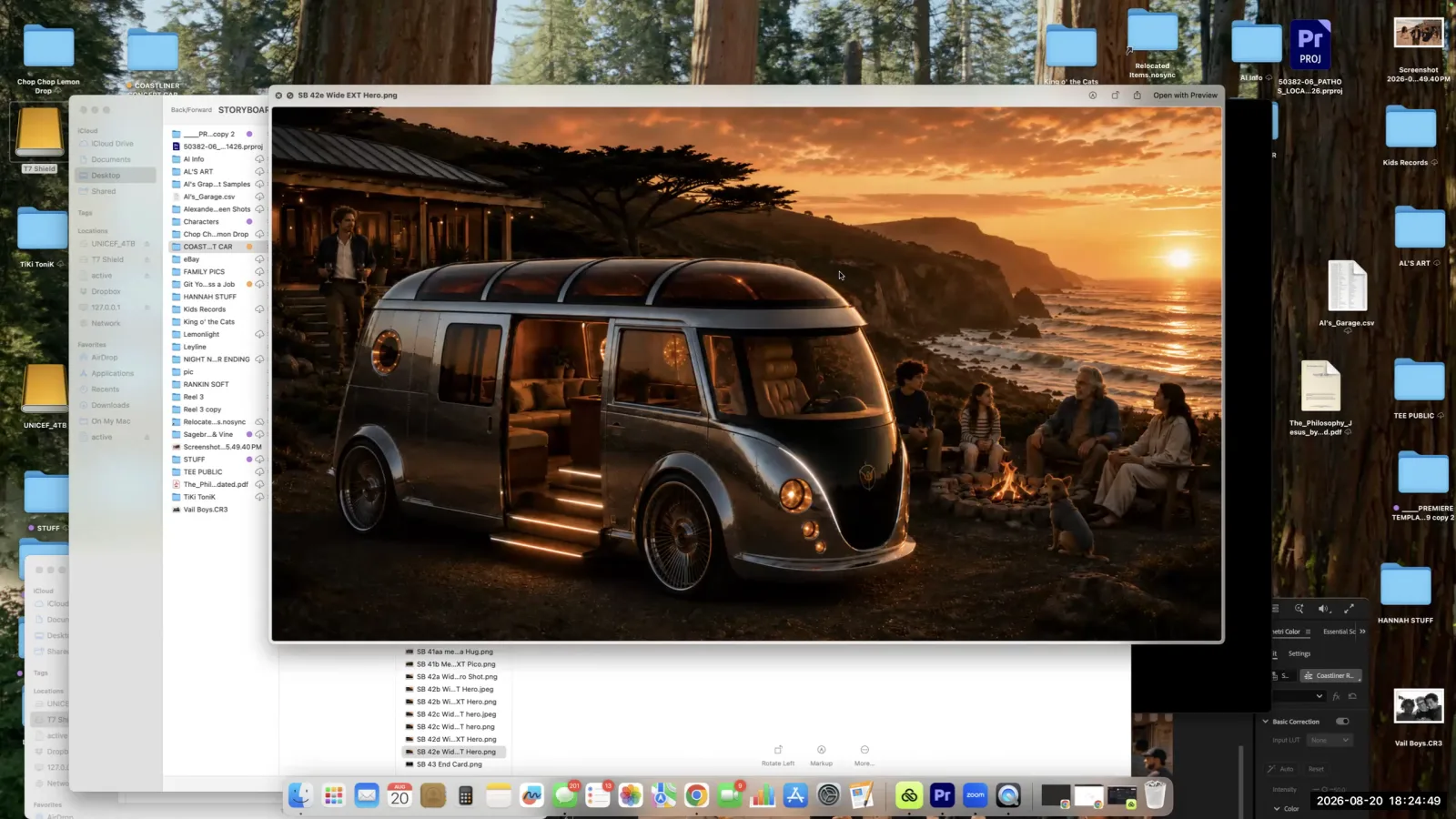
Begin the creative process by generating the final 'hero shot' that establishes the core look and feel of your story.
Step 3. Work backward from the hero shot to create a full storyboard, panel by panel, that maps out the entire narrative journey.
Think of it like creating a comic book for your commercial.
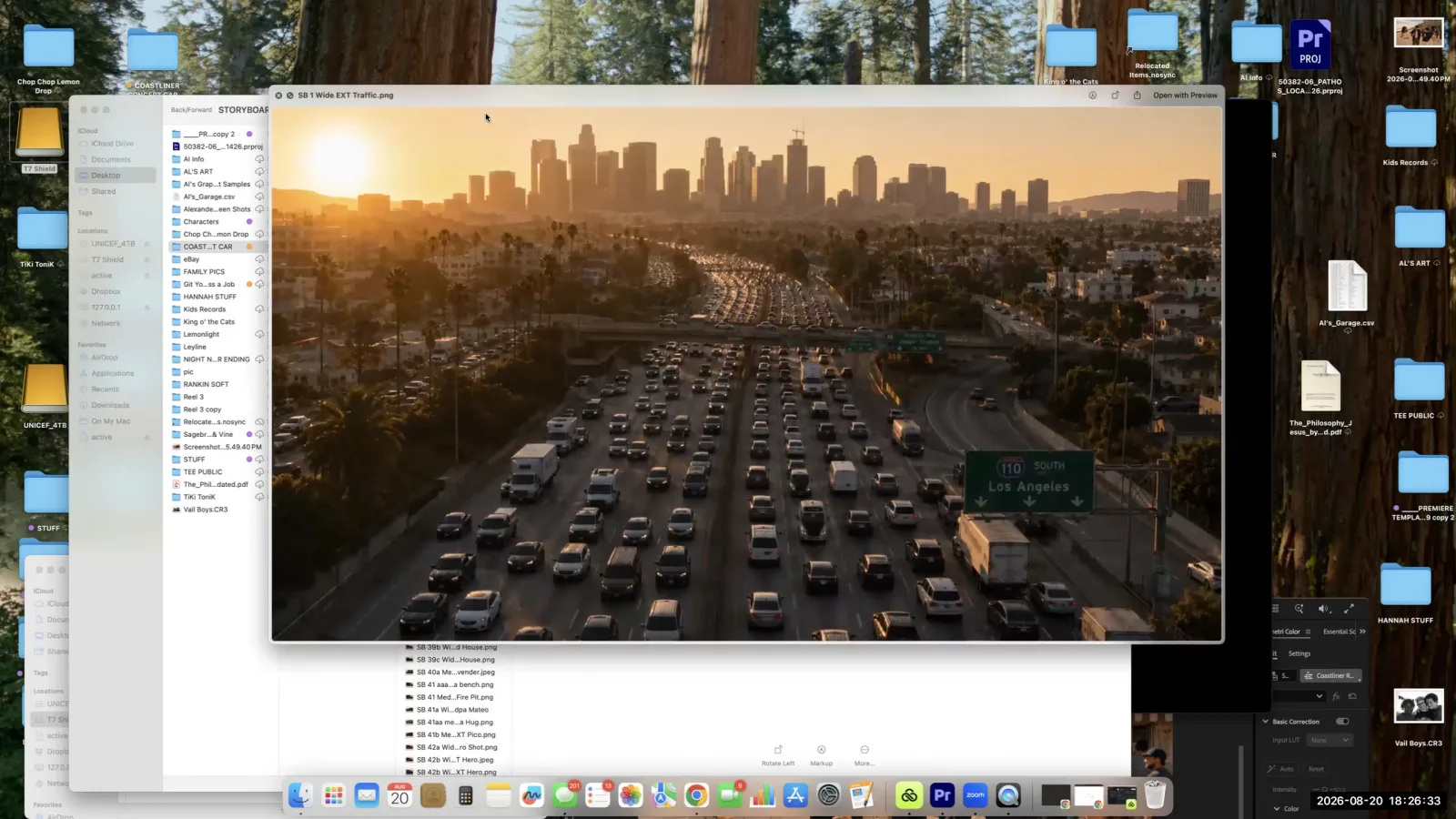
A folder of storyboard panels shows the complete visual narrative for the project, mapped out shot by shot.
Step 4. Create detailed turnaround sheets for key characters and assets, showing them from multiple angles (front, side, back).
This is vital for maintaining visual consistency.
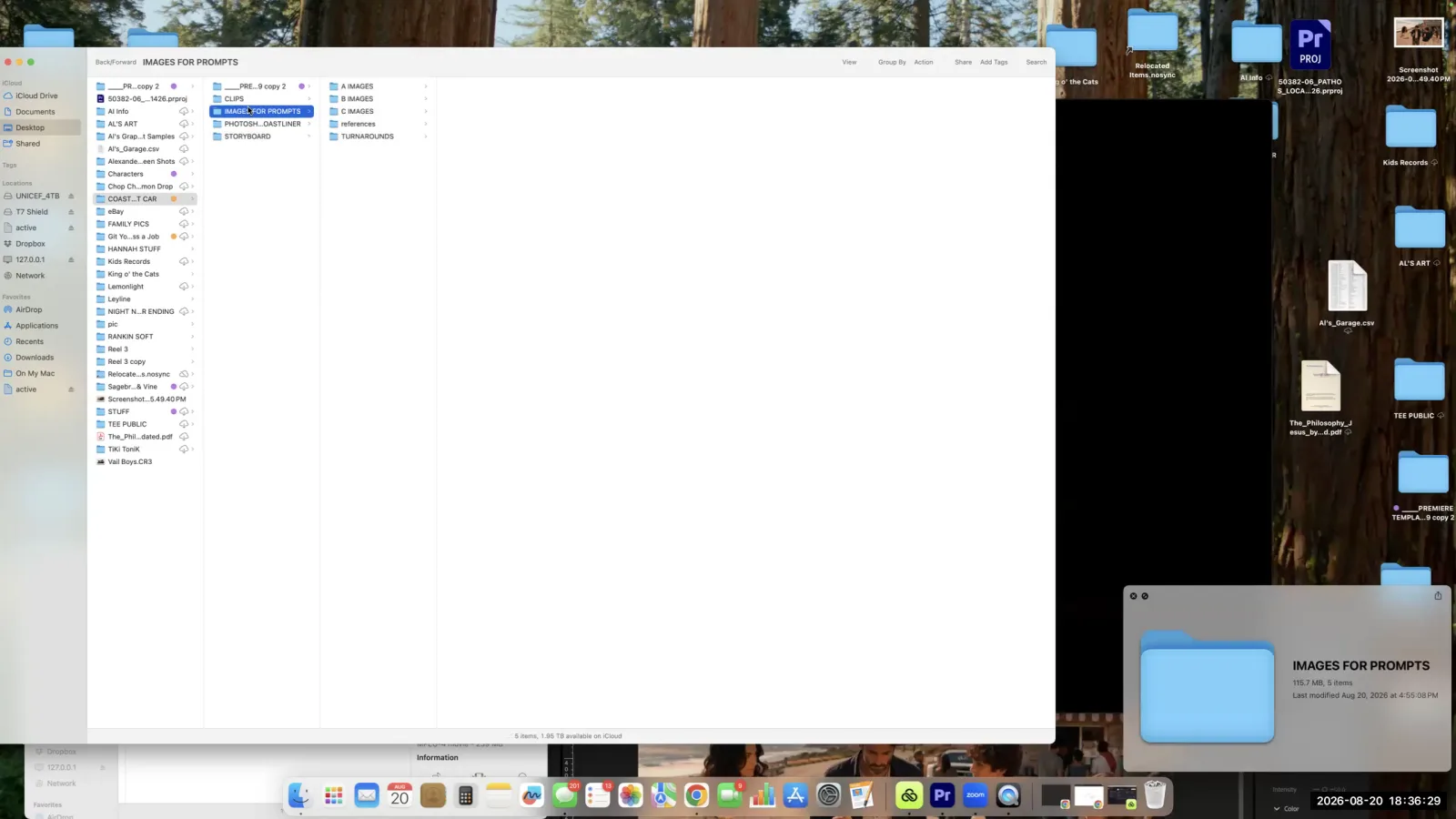
Organize your project by creating a dedicated folder for character and asset turnaround sheets.
Step 5. Generate still images for each storyboard panel, using your turnaround sheets as image references in your prompts to guide the AI.
Step 6. Iterate on image generation until you get the desired shot, wrestling with the AI to include specific, imperfect details like a three-legged dog.
Step 7. Use the final storyboard images to generate short video clips, prompting for specific camera movements and actions.
For example, prompt for a 'slow push in' or specify that cars are 'stuck in traffic' and not moving fast.
Step 8. Select a music track that matches the mood, enhances the narrative, and helps drive the editing pace.
Step 9. Assemble the generated clips in an editing timeline, cutting them together in sync with the music.
Step 10. Add detailed sound design, including ambient noise that changes volume based on the camera's perspective (e.g., louder traffic for closer shots).
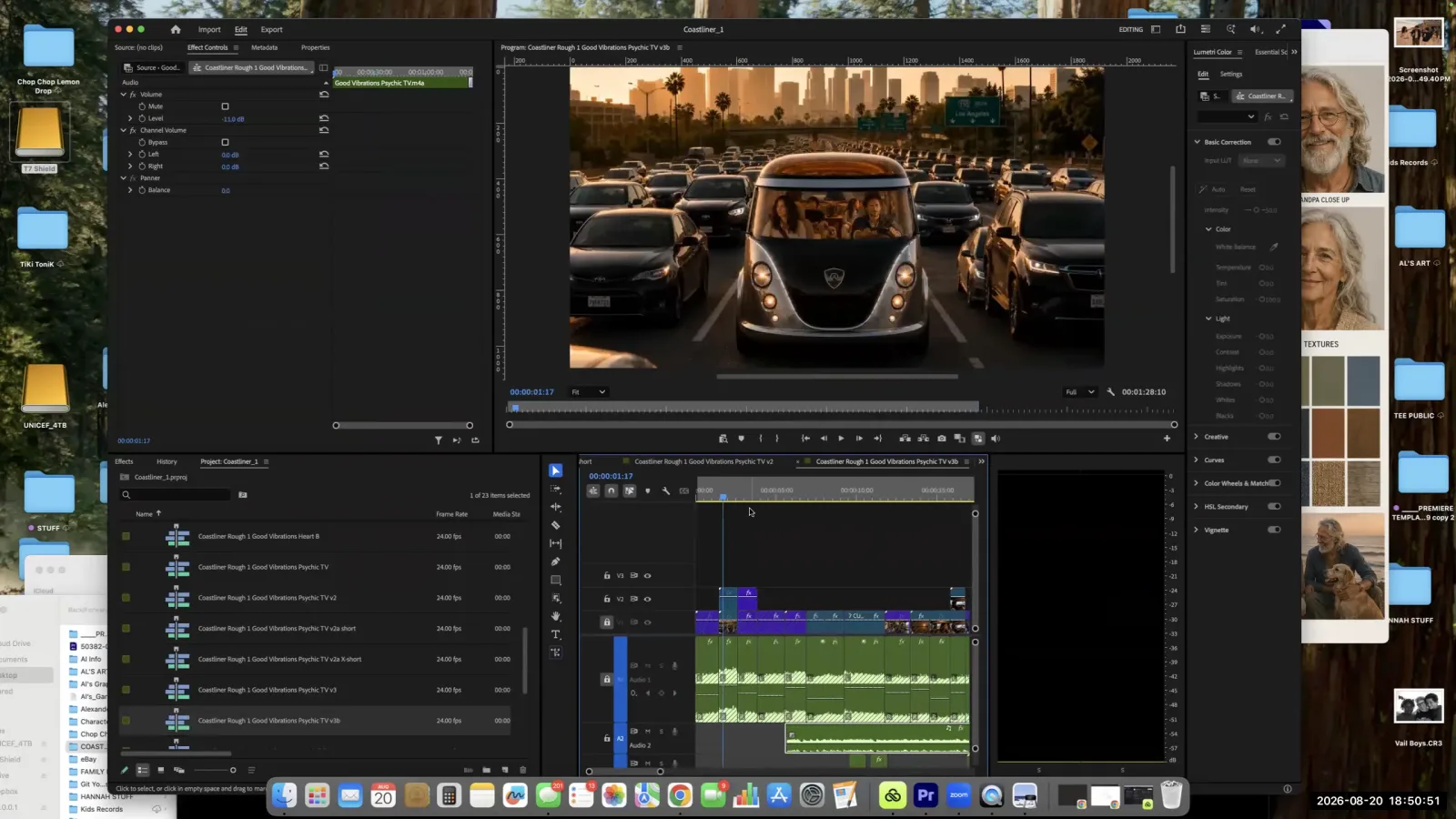
Use keyframes on your audio tracks to adjust the volume of ambient sounds, matching the changes in camera perspective.
Step 11. Incorporate subtle sound effects for specific on-screen actions to enhance realism and 'sell the cut' without distracting the viewer.
Troubleshooting Zoom Audio for Video Playback
This brief technical guide walks through the necessary steps to configure your settings correctly for sharing video. Following these steps ensures your audience can hear the audio from any video you play back during a presentation.
Step 1. Click the up arrow next to the mute button in the lower-left corner of the Zoom window.
Step 2. In the audio settings menu, find and uncheck 'Noise removal by default.'
Step 3. Check the option for 'original sound for musicians.'
Step 4. Re-share your screen and play the video again.
Key terms
AI Native Content. Content created from the ground up using AI tools, distinct from traditional media that might only use AI for post-production effects.
Micro Dramas. Short, episodic narrative shows, often designed for vertical viewing on mobile devices, which are a rapidly expanding content category.
Vibe Code. A non-technical, intuitive approach to developing a product or project by focusing on the desired feeling, aesthetic, and user experience, rather than starting with rigid technical specifications.
Creator in Residence. An experienced creator who partners with a platform like Leyline to produce work, test new features, and teach their process to the community.
Fair Exchange. The principle in advertising that if you take a viewer's time and attention, you must provide something of value in return, such as entertainment, emotional connection, or useful information.
Sizzle vs. Steak. An advertising concept where the 'steak' is the functional, technical details of a product (e.g., battery stats), while the 'sizzle' is the emotional experience and lifestyle it enables (e.g., a family campfire). Effective ads sell the sizzle.
Hero Shot. The single most important, culminating image or moment in a commercial that encapsulates the core message and feeling. The production process can be structured by starting with this shot and working backwards.
Storyboard. A sequence of drawings or images, similar to a comic book, that represents the shots planned for a film or video production. It serves as the visual map for the entire project.
Relatability. The quality of a story or characters that allows the audience to see themselves and their own lives, often achieved by including imperfections and human moments rather than an idealized reality.
Turnaround Sheets. A set of reference images showing a character or object from multiple angles (front, back, side, three-quarter view) to ensure visual consistency across different shots in an AI or animation production.
Continuity. The consistency of characters, objects, and setting details from one shot to the next. Maintaining continuity is a major challenge in both live-action and AI filmmaking.
Spatial Planning. The process of defining specific dimensions and layouts for scenes or objects before generation to help guide the AI and improve consistency across shots.
Workflow. A repeatable, step-by-step process for creating a project. Having a defined workflow, even a simple one, is more effective than having no system at all.
Sound Design. The art of creating the entire audio landscape of a film, including ambient noise, sound effects, and music, to enhance the story and emotional impact.
Room Noise. The ambient sound of a particular location. In sound design, the level of this noise is adjusted based on the camera's perceived distance from the source.
Proscenium Stage. The traditional, horizontal stage format of theater, which influenced the widescreen aspect ratio of cinema.
Vertical Format. A video aspect ratio (like 9:16) that is taller than it is wide, optimized for viewing on mobile phones. This format changes fundamental rules of composition, like the rule of thirds.
Sweat Equity. The non-monetary investment in a project, such as time, effort, and creative energy, which can now be used to create agency-level work with AI tools for a fraction of the traditional cost.
Common mistakes to avoid
- Creating unrelatable 'perfect' families and settings in commercials instead of showing humanity and imperfections.
- Not creating turnaround sheets, leading to inconsistent characters and assets across different shots.
- Jumping into clip generation without a clear storyboard or organizational system, which wastes time.
- Failing to control the AI's default tendencies, such as making cars move fast when they should be in traffic.
- Neglecting sound design, which is critical for selling the edit and keeping the viewer immersed.
- Creating sound design that is too obvious or distracting, instead of subtly supporting the visuals.
- Assuming AI can handle creative decisions about shot selection and taste; the human creator's judgment is still paramount.
- Getting frustrated with the iterative process and not generating enough takes to find the perfect shot.
Frequently asked questions
What is the professional workflow for creating an AI commercial?
A professional workflow starts with a concept and a 'hero shot' focus. You then build a storyboard, create character turnaround sheets for consistency, generate clips iteratively, and finish with detailed sound design. The creator's judgment remains essential for shot selection and overall taste throughout the process.
How can I maintain character consistency in AI video?
To maintain character consistency, create and use turnaround sheets. These reference images show your characters and key assets from multiple angles. By using these sheets as a guide for the AI, you can ensure that characters look the same across different shots and scenes, avoiding a common production pitfall.
What is the 'hero shot' method for video production?
The 'hero shot' method involves identifying and focusing your storyboarding efforts on the single most important shot of your film. This key visual guides the creative direction for all other shots, ensuring the entire piece serves the central concept and communicates the intended message effectively.
Why is sound design crucial for AI-generated films?
Sound design is crucial because it sells the edit and keeps the viewer immersed in the story. While visuals are generated by AI, sound—including music, effects, and room noise—is what makes the world feel real and emotionally resonant. Neglecting it is a common mistake that undermines the final product.
How to create relatable and 'human' characters in AI advertising?
Create relatable characters by avoiding the AI's tendency to generate 'perfect' families and settings. Instead, focus on showing humanity and imperfections. These details make the story more believable and emotionally resonant for the audience, which is a key goal for brands using AI-native content.
What are common problems when generating video with AI and how to fix them?
Common problems include inconsistent characters, which can be fixed with turnaround sheets, and the AI's default tendencies, which require human control. Other issues are failing to storyboard, leading to wasted time, and neglecting sound design, which is critical for immersion. The solution is a structured, iterative workflow.
From the session
“Who's my first hire in the future? It's going to be people who understand AI.”
— Brian
“We kind of position ourselves as the final cut for AI native content.”
— Brian
“We're kind of seeing the rise of like the one or two person advertising firm, the one or two person production team.”
— Brian
This tutorial was produced from the Leyline Masterclass recording (Cohort 10, Session 3, 2026-08-20). Screenshots are captured directly from the session.