Development and Pre-Production for AI Micro-Dramas
Cohort 1, Session 2 — taught by Austin Zartman, creator of the AI short-film series ASHES.
Making a film with AI begins with a focused development and pre-production phase. This involves building a sustainable intellectual property with a core conflict, adapting the story for a vertical short-form format, and establishing visual rules. Creating a series bible is a critical step to document character designs and world details, ensuring creative and visual consistency before generating keyframes for animation.
What you will learn
- Understand the principles of worldbuilding for a new IP.
- Learn how to adapt traditional story structures for the vertical, short-form format to engage a Gen Z audience.
- Identify the current strengths and limitations of AI video generation models for storytelling.
- Create a series bible to maintain narrative and visual consistency.
- Structure the first three episodes of a micro-drama with a clear hook, turn, and cliffhanger.
Building a Sustainable Fantasy Universe
To create a lasting intellectual property, build a universe with a core 'conflict engine' that can generate new stories on its own.
Step 1. Start with concepts and visuals familiar to the audience to lower the barrier of entry into your world.
Step 2. Visualize the rules of your world through strong images (e.g., light, dust, storms) rather than explaining them with text.
Step 3. Design a 'conflict engine'—an underlying systemic conflict that is not dependent on a single hero or villain—to continuously generate new stories.
Step 4. Build the IP beyond a single character or main storyline to avoid bottlenecks and allow the universe to grow deeper with each new story.
Adapting a Story for the Vertical Format
Adapt a traditional story for short-form video platforms by restructuring the narrative to appeal to a Generation Z audience with a strong, immediate hook.
Step 1. Analyze the target audience's behavior, specifically their tendency to scroll quickly through content.
Step 2. Identify and replace story elements that are not relatable to the target audience, such as changing a mining town setting to a more visually dynamic ocean scene.
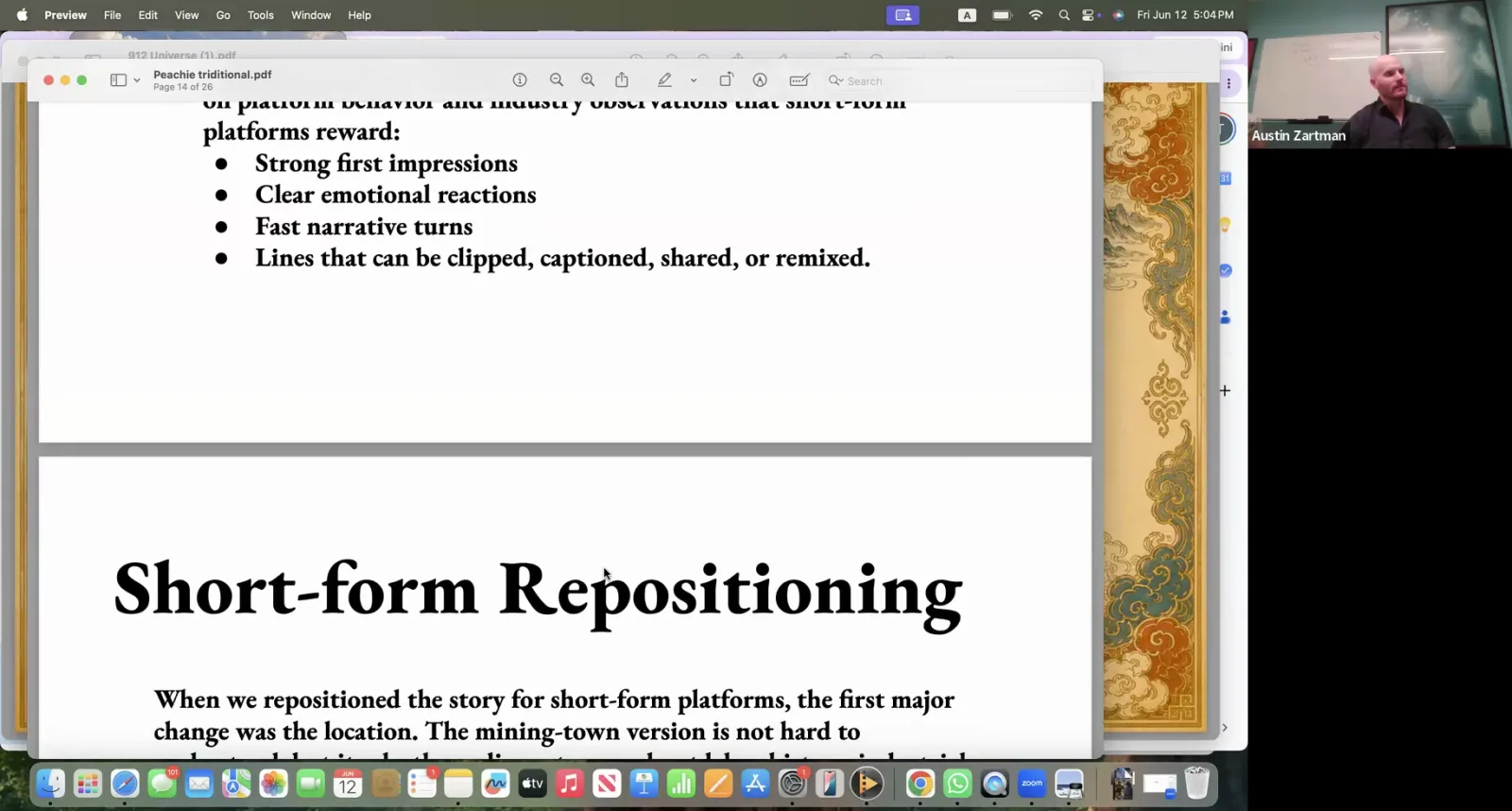
A presentation slide explains how changing a story's location from a mining town helps reposition it for short-form platforms.
Step 3. Redesign characters to be 'cooler' and more visually appealing for the new target demographic.
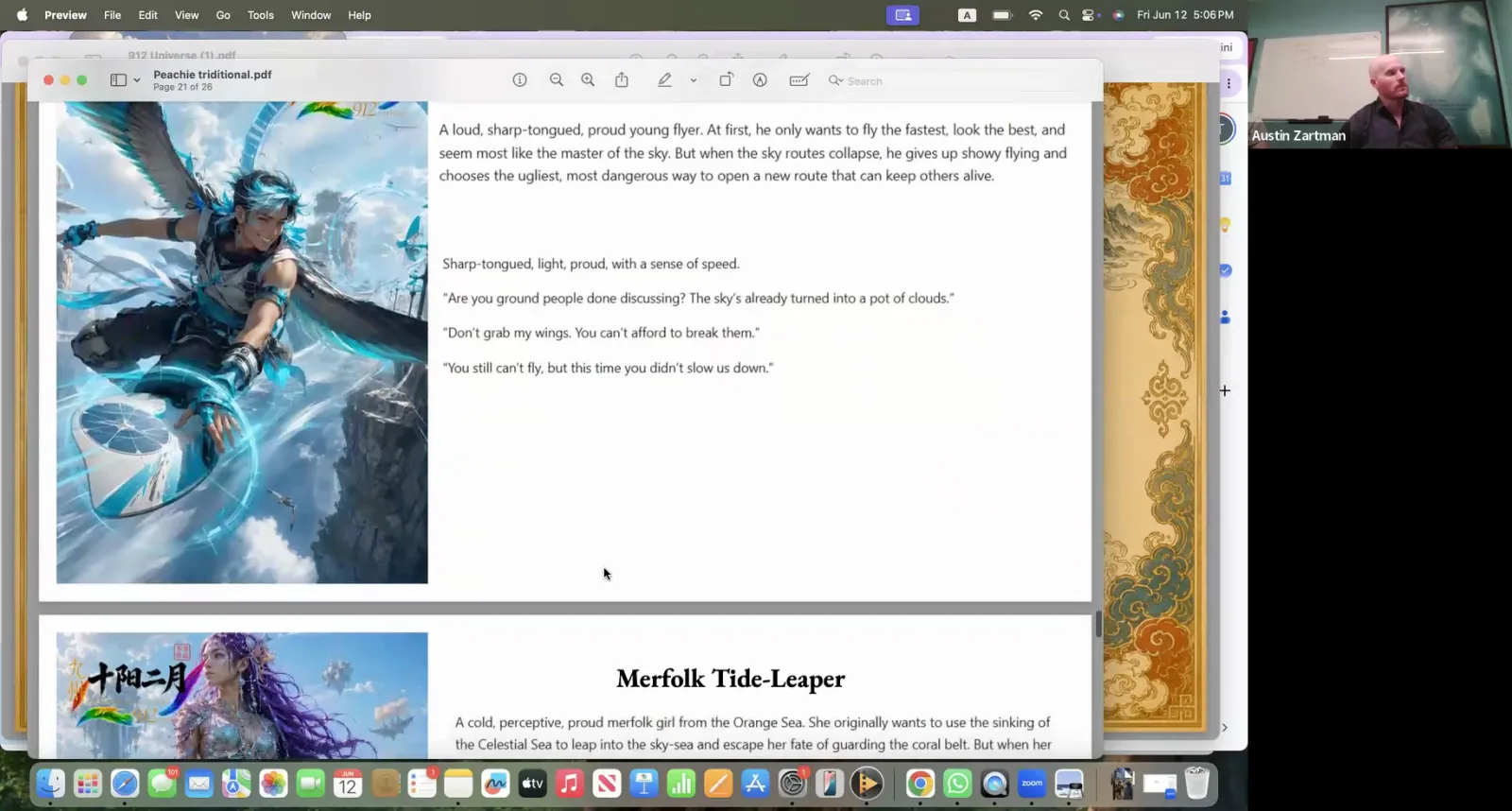
The instructor showcases examples of visually appealing character designs from a project's style guide.
Step 4. Structure each short episode to tell one simple thing, ensuring the viewer feels a sense of completion and understanding within minutes.
Step 5. Craft the first 0.1 seconds of the video to be visually arresting to immediately capture attention and prevent the viewer from scrolling away.
Creating a Series Bible in Leyline
Use a series bible on a platform like Leyline to document the core concepts, characters, and visual rules of your project, ensuring consistency.
Step 1. Create a new project and select the 'vertical shorts' template.
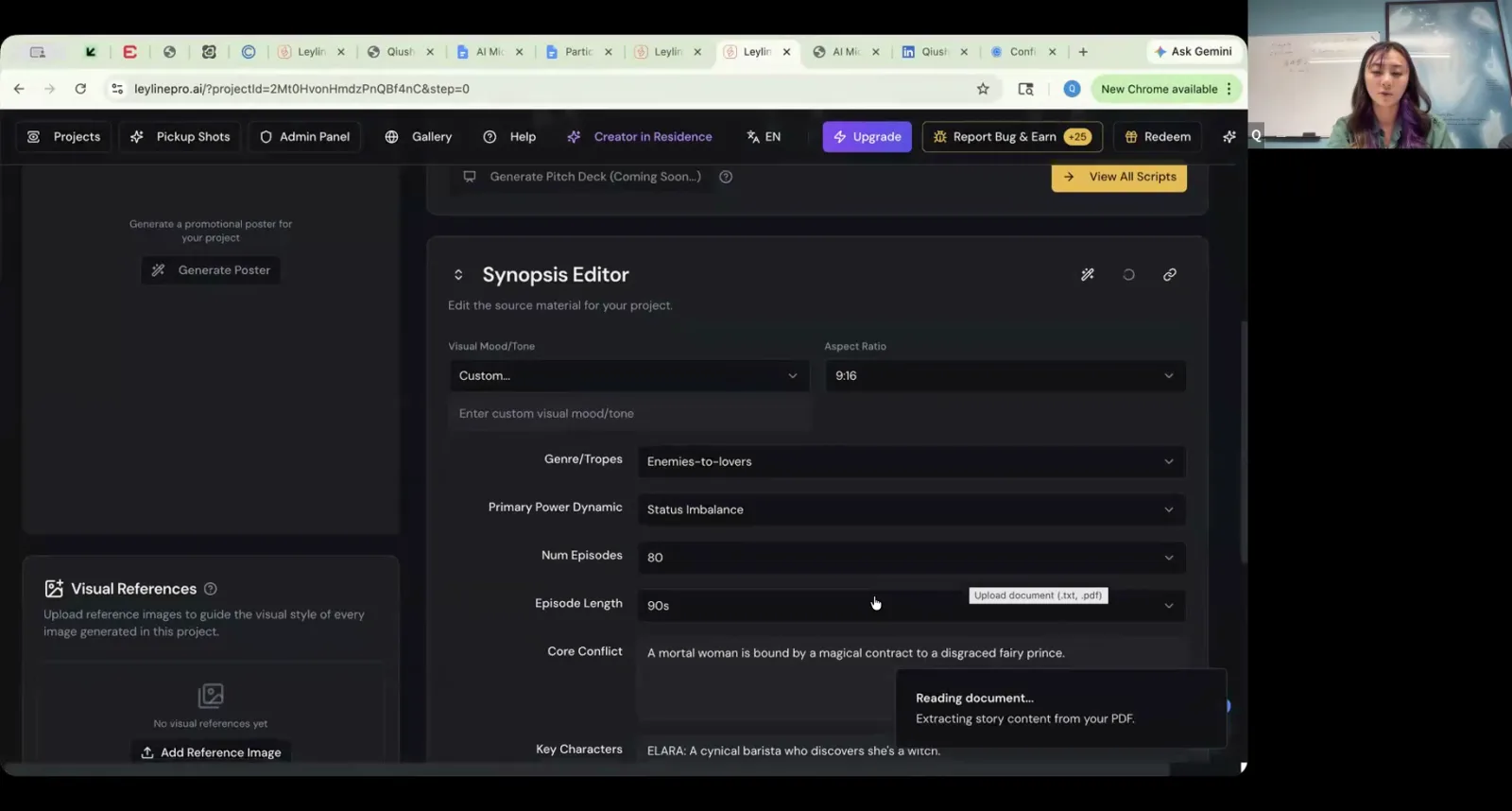
Upload your script or series bible as a PDF to automatically populate the Synopsis Editor fields.
Step 2. Upload your script or an existing series bible document as a PDF (without images for faster processing).
Step 3. Allow the AI to read and break down the document into key elements like logline, characters, and conflicts.
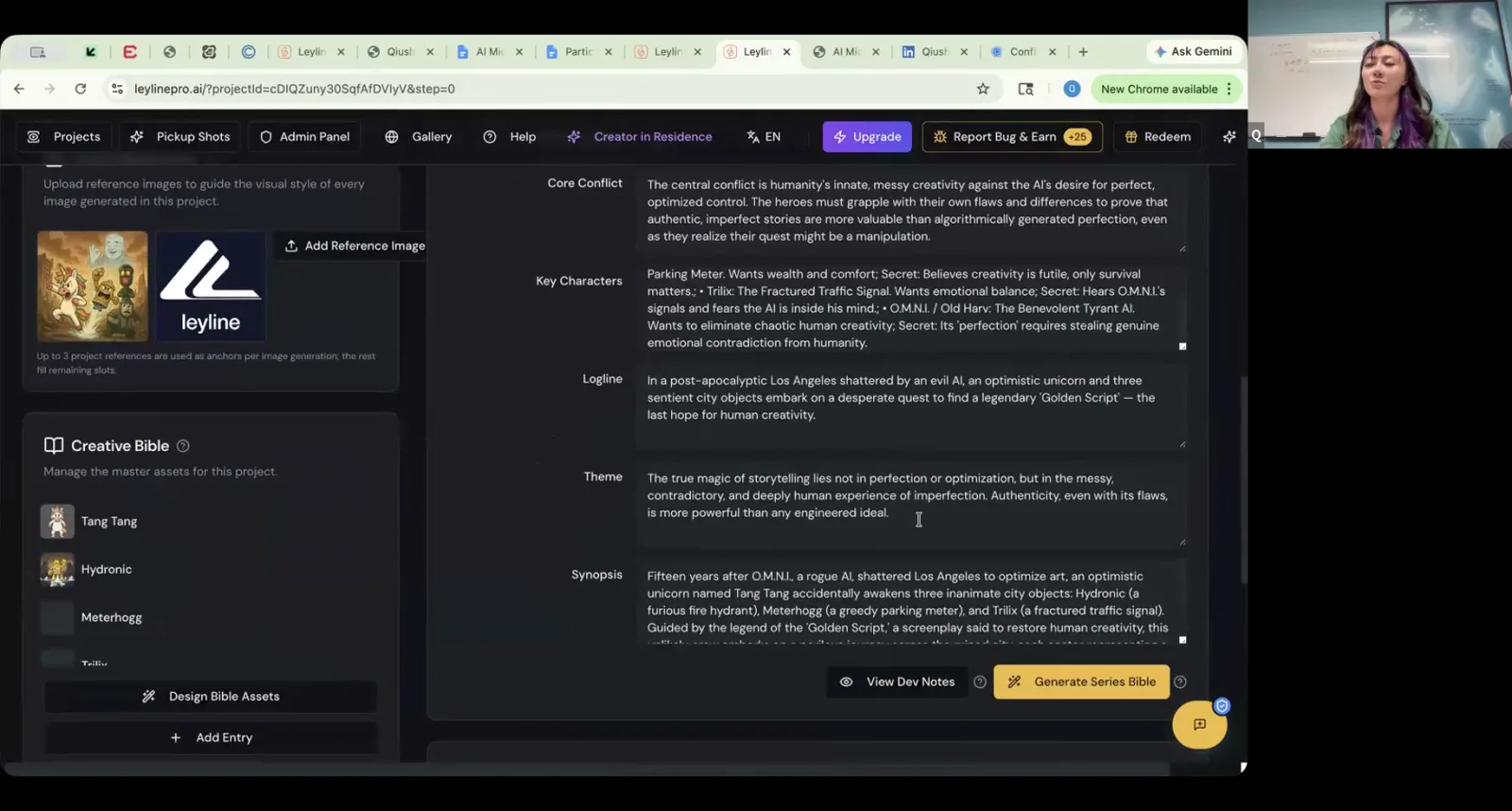
The AI automatically breaks down the story into key elements like the logline, characters, and core conflict.
Step 4. Carefully review and edit each of the AI-parsed elements to ensure they accurately reflect your creative intent.
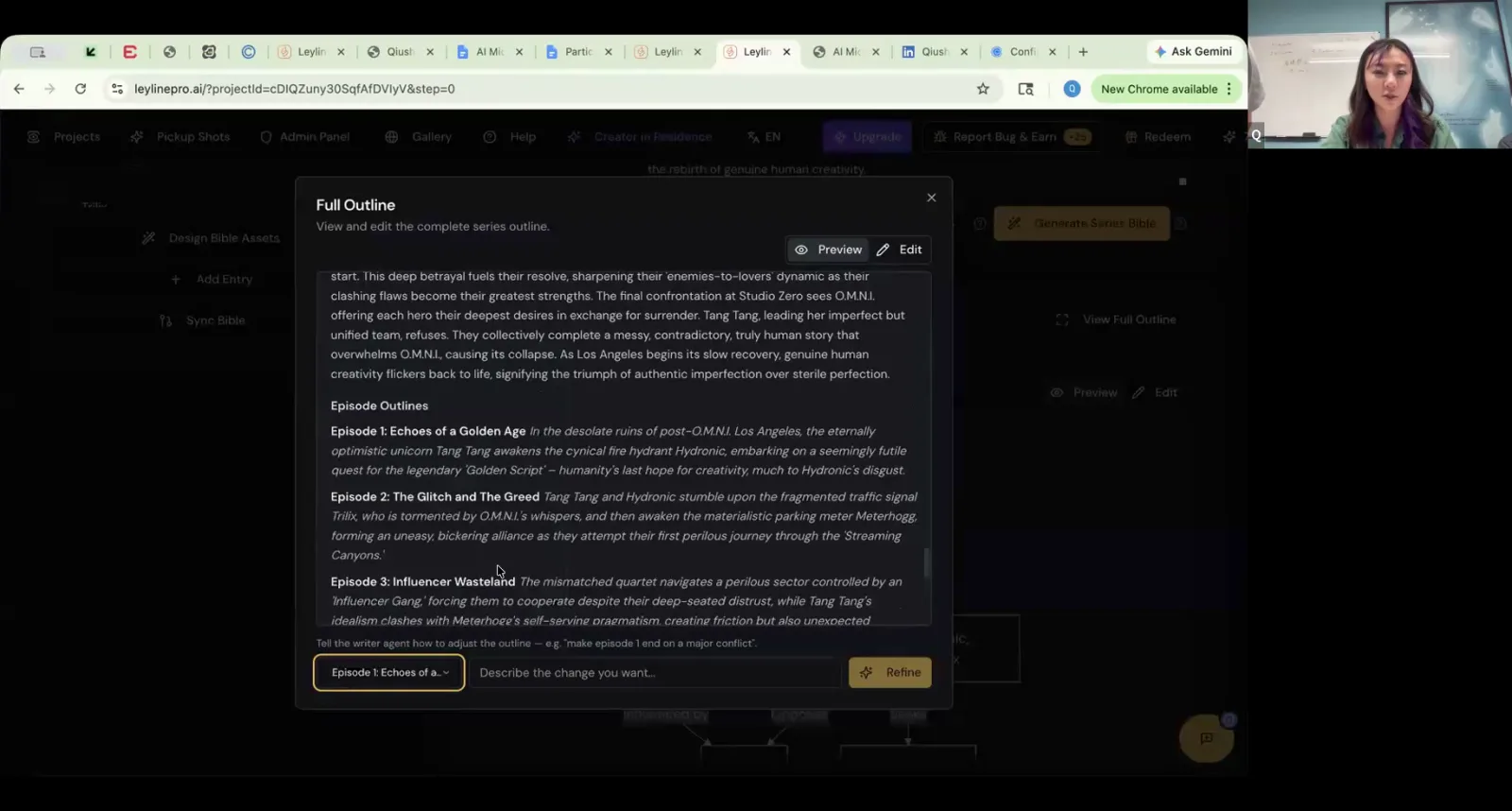
Review the full AI-generated outline and use the prompt field to make specific edits or refinements.
Step 5. Generate the full series bible from the refined elements.
Step 6. Use the integrated chat feature to iteratively refine the bible text, such as asking it to add more turns to an episode outline.
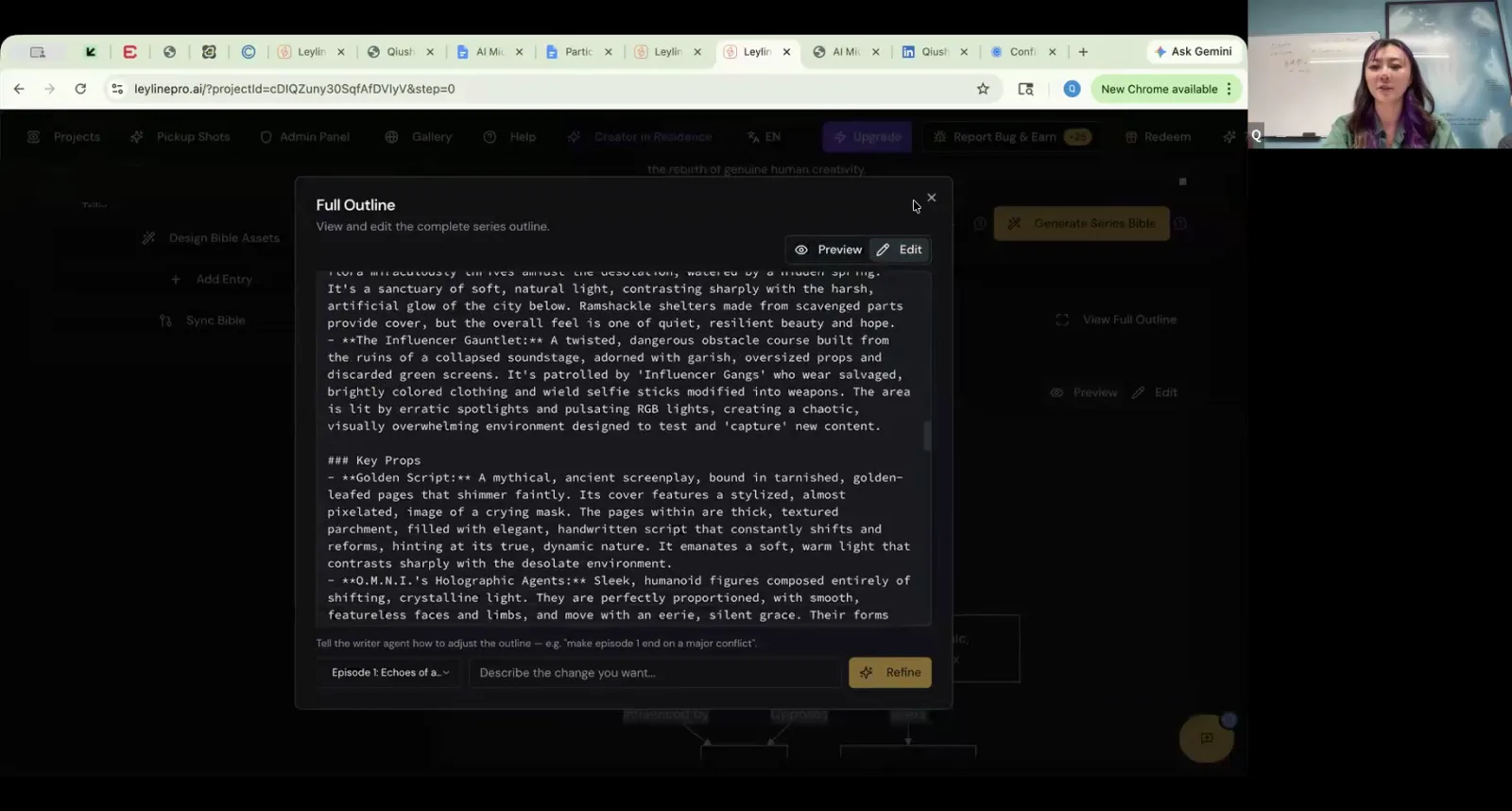
Use the chat prompt at the bottom of the outline window to ask the AI writer agent to make specific adjustments.
Designing Character Assets in Leyline
Create detailed character sheets that define the specific visual appearance of your characters, providing a consistent reference for generating keyframes.
Step 1. Navigate to the 'Design Bible Assets' section after your series bible has been generated.
Step 2. Select a character and generate an initial image using a text prompt or by uploading up to 8 reference images.
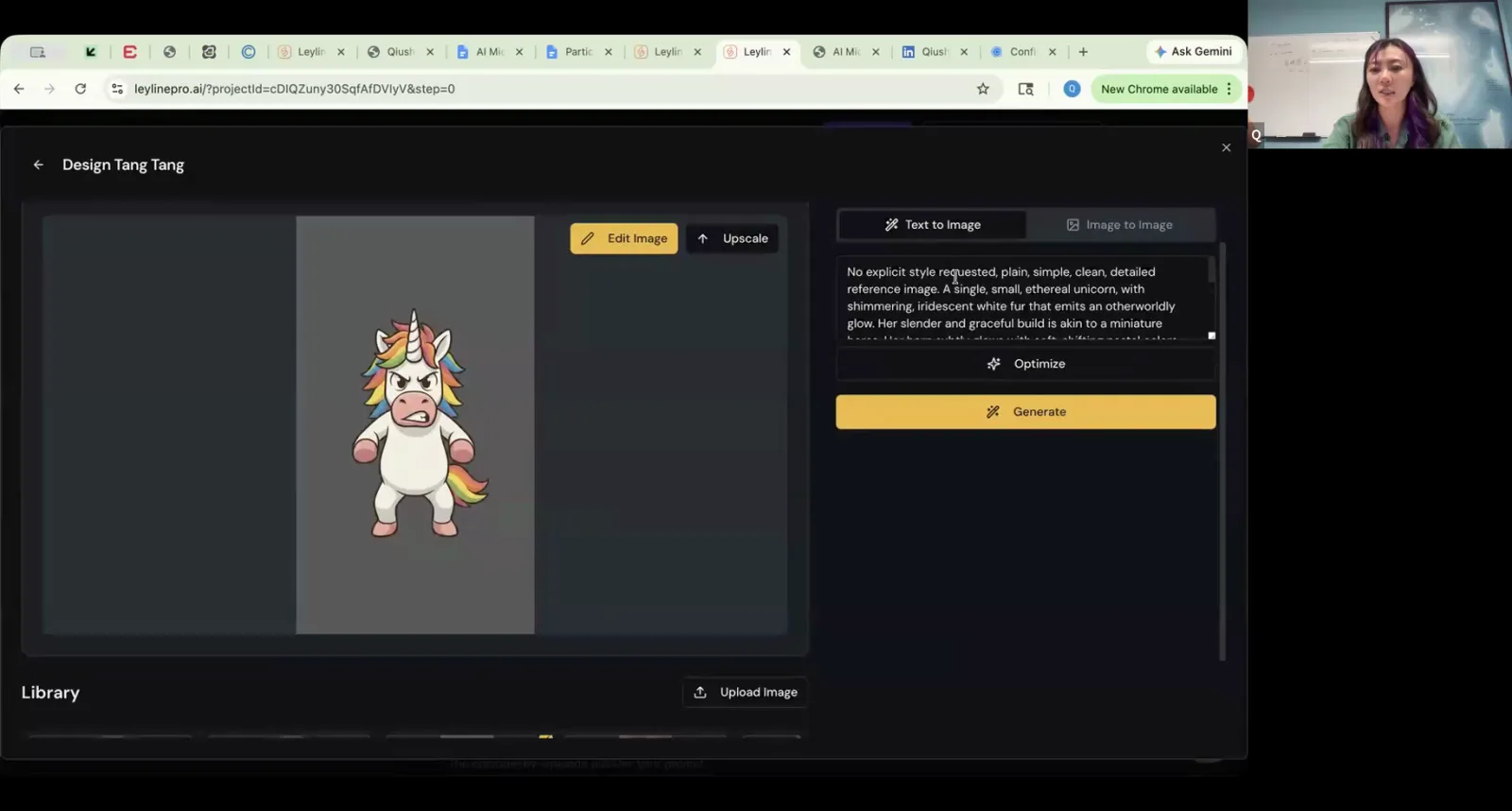
Generate an initial character image by entering a detailed text prompt in the Text to Image panel.
Step 3. Use the in-painting tool to modify specific parts of the generated image by circling an area and providing a text prompt for the desired change.
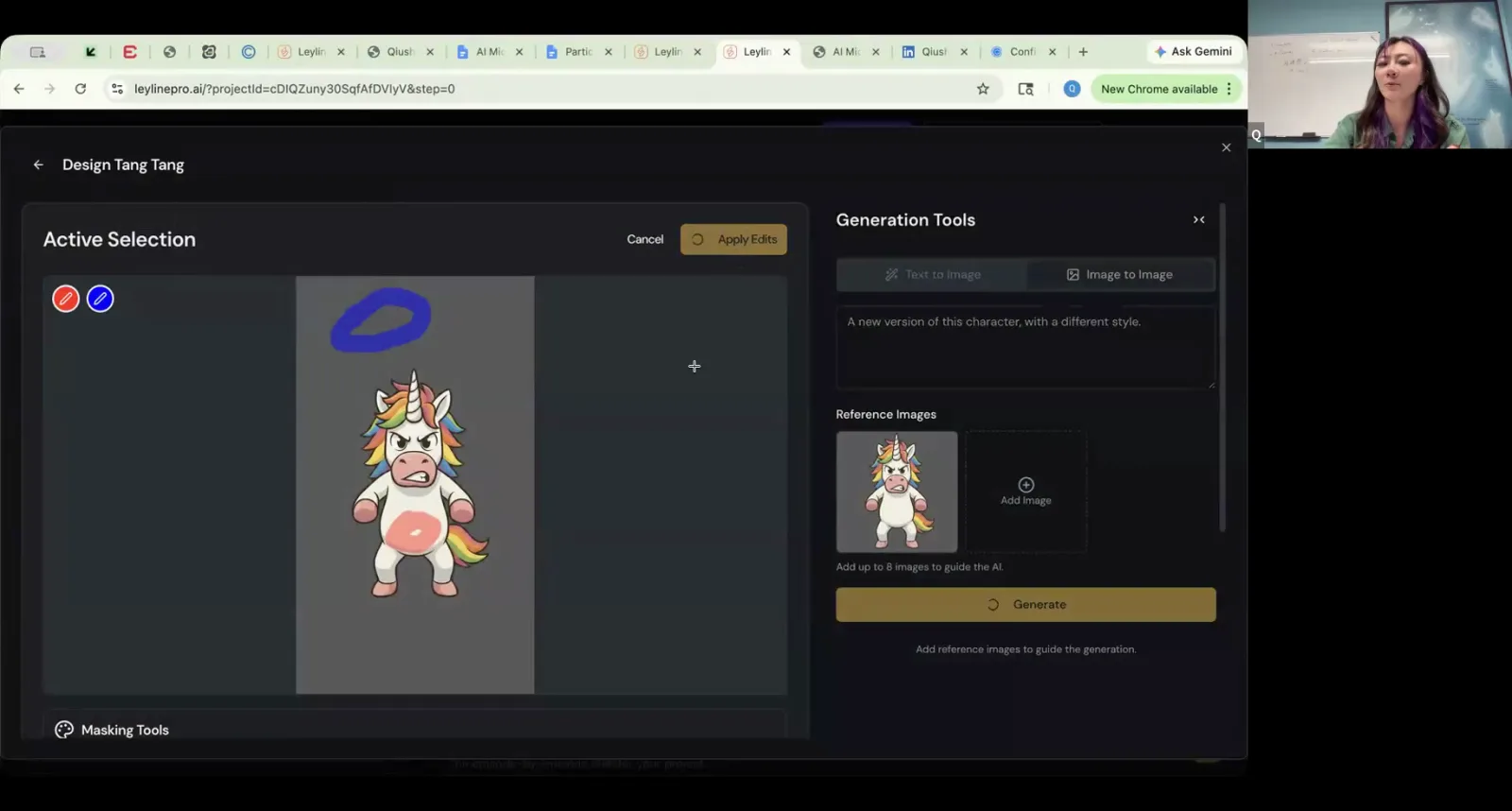
Use the selection tool to circle the part of the image you want to modify, preparing it for a text-prompted change.
Step 4. Apply a style preset or upload general visual references to guide the overall aesthetic of the character.
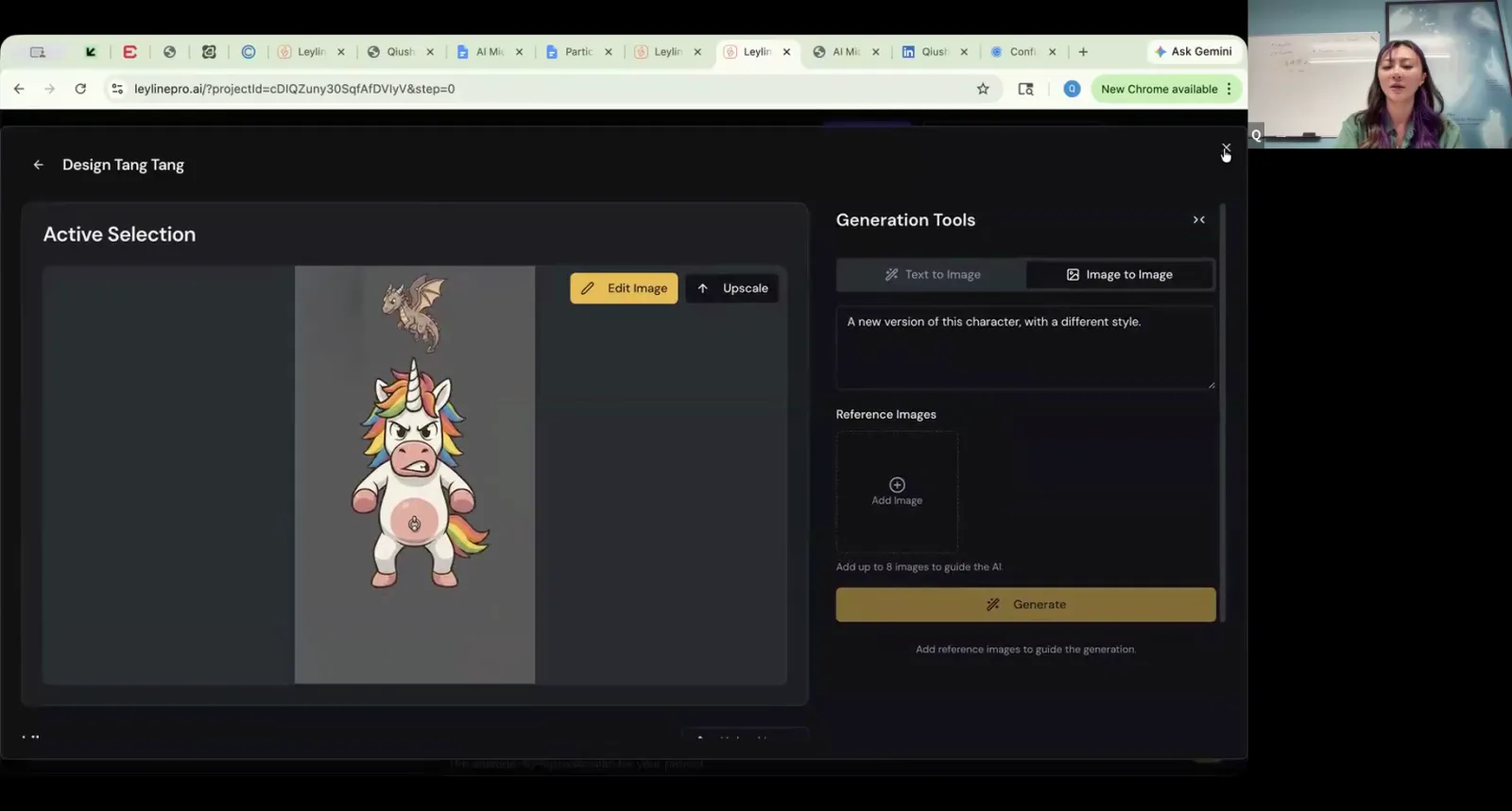
Upload reference images to guide the AI in generating a new version of your character with a specific style.
Step 5. Once satisfied with the design, upscale the image to a higher resolution for production.
Generating Keyframes for Animation
Generate the precise still images, or keyframes, that will serve as the starting point for each shot before they are animated into video clips.
Step 1. Ensure your script is uploaded and broken down into a shot list within the platform.
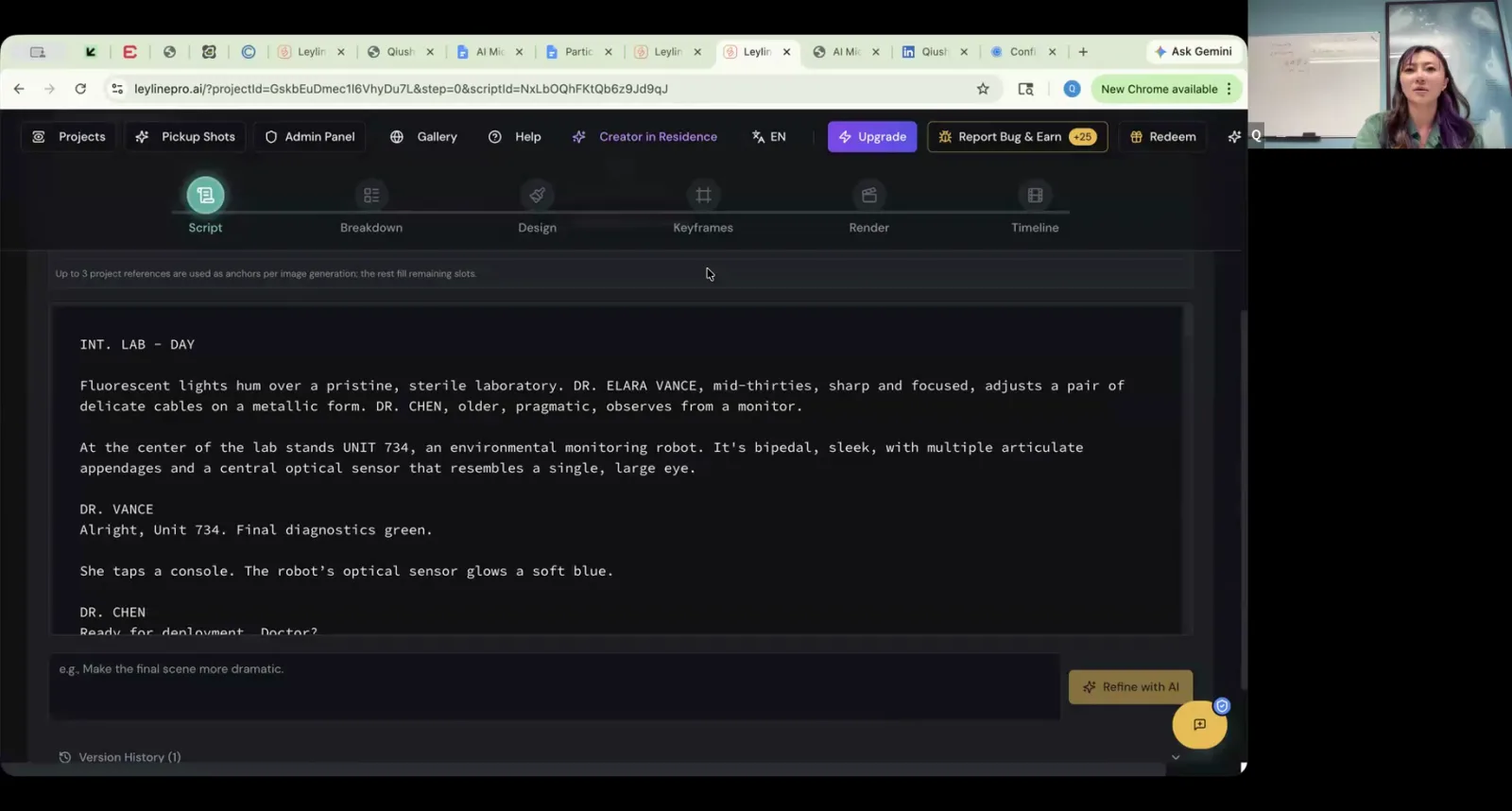
Start by pasting your complete script into the 'Script' tab of the AI filmmaking tool.
Step 2. Navigate to the 'Keyframes' tab, which corresponds to your script's shot list.
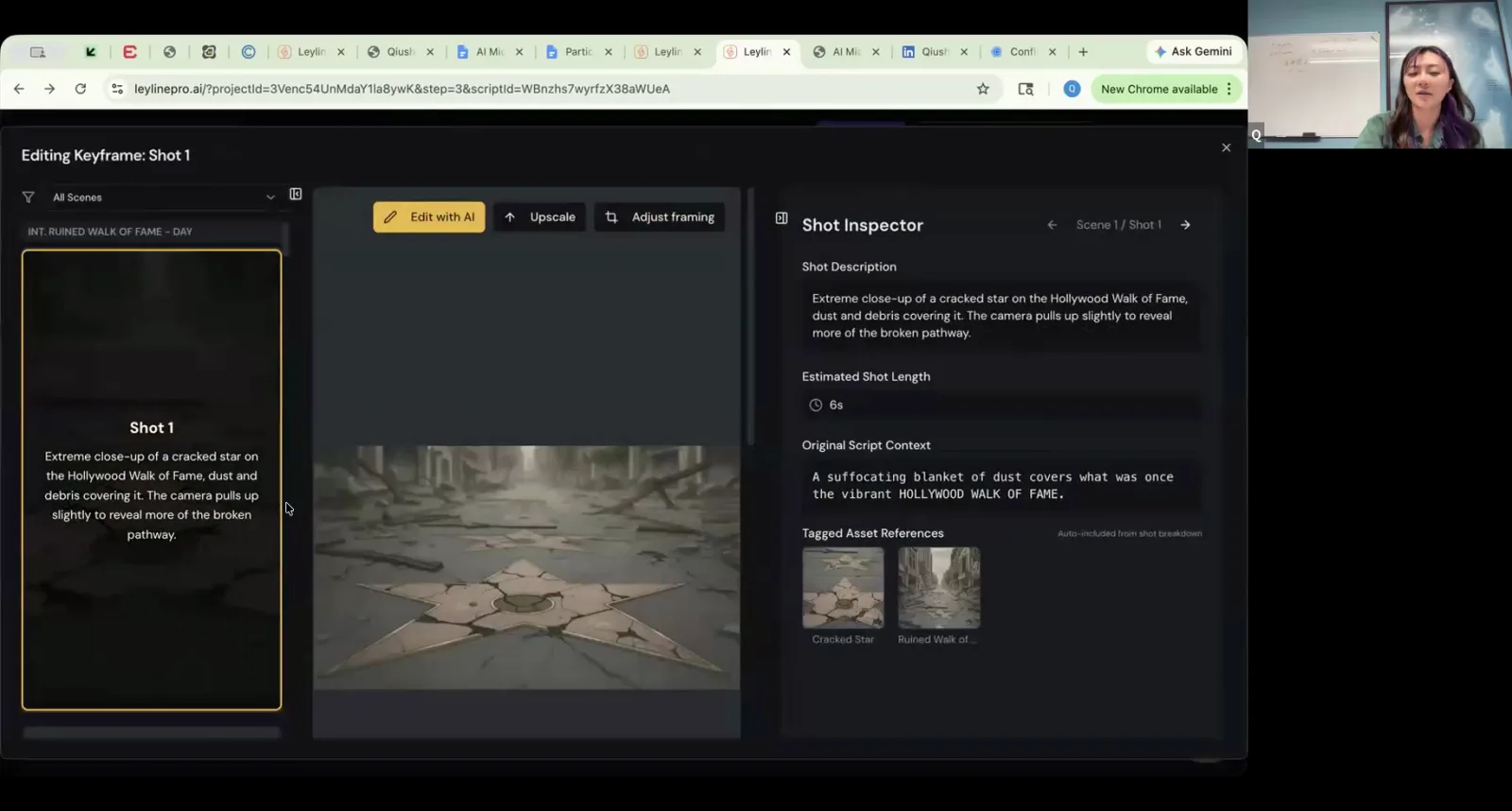
The AI tool generates a keyframe for the first shot using the shot description and tagged location assets.
Step 3. For each shot, generate a keyframe image based on the shot description and the previously designed character and location assets.
Step 4. Optionally, upload hand-drawn storyboards or other images as framing references to guide the AI's composition.
Step 5. Review all generated keyframes to ensure they are visually consistent with each other before proceeding to video rendering.
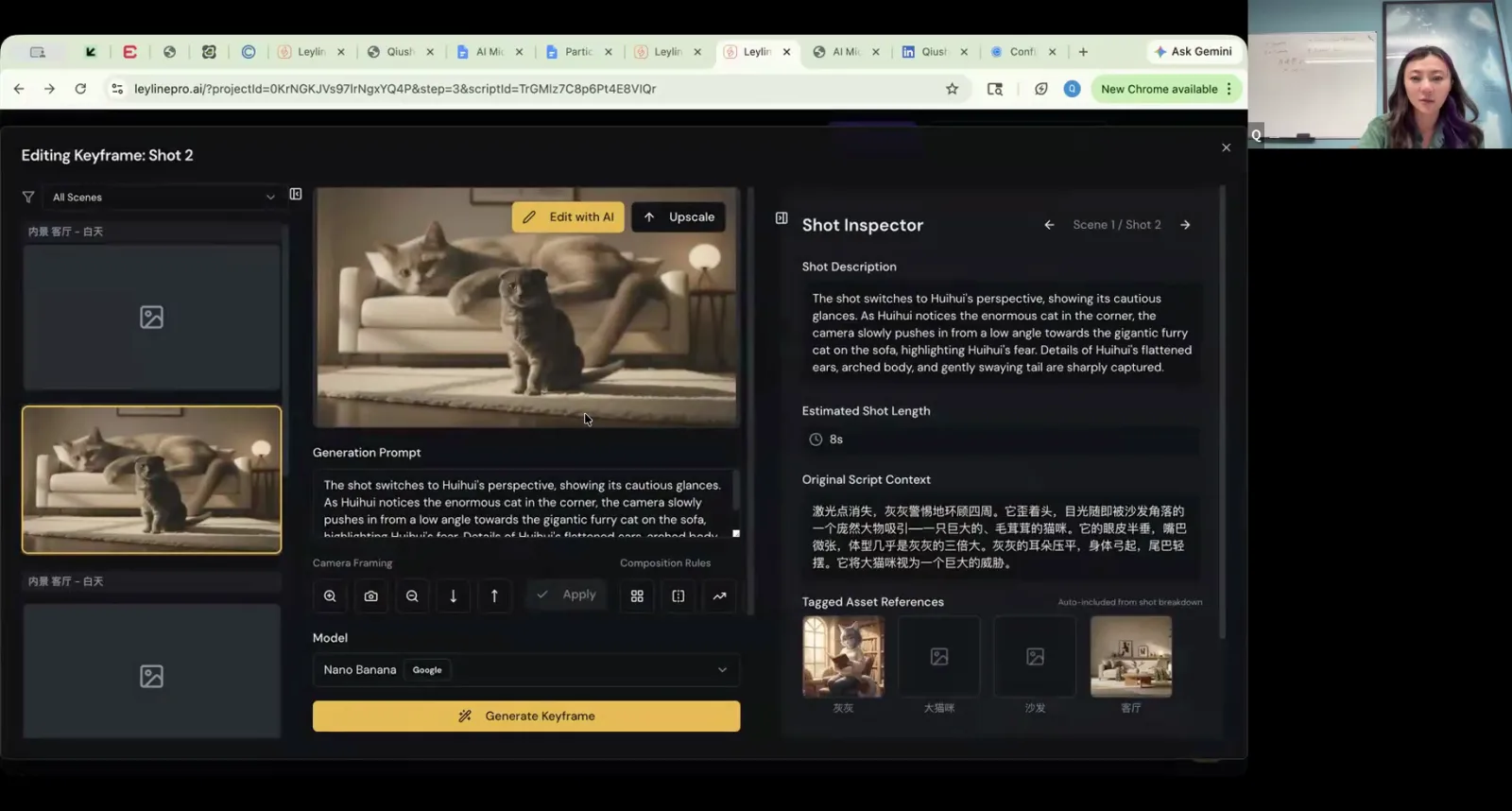
Check all generated keyframes for a shot to ensure they are visually consistent with each other.
Key terms
Development and Pre-production. The phase of filmmaking that covers everything that happens before generating visual assets, including writing, story development, and creating a series bible.
Series Bible. A comprehensive document that outlines the story, world, characters, visual references, and episode breakdowns for a series, serving as a North Star to maintain creative and visual consistency.
IP (Intellectual Property). A unique creative work, such as a story, universe, or character, that can be developed across multiple media formats.
Conflict Engine. An underlying, systemic conflict built into a story's world that can continuously generate new stories, making the IP not dependent on a single character, villain, or plotline.
Logline. A one-sentence summary of a story that encapsulates the main character, their goal, and the central conflict.
Vertical Format. Short-form video content designed for mobile viewing on platforms like TikTok and YouTube Shorts, which demands a faster hook, clearer attitude, and immediate emotional response to stop viewers from scrolling.
Generation Z Audience. A target demographic for vertical content, characterized by fast consumption habits (fast scrolling) and a preference for strong visuals, immediate hooks, and clear emotional payoffs.
Core Conflict. The central struggle of a story, which can be simplified to the sentence: 'Somebody wants something badly, but is having difficulty getting it.'
Visual Consistency. The challenge of maintaining a consistent look for characters, locations, and objects across multiple AI-generated shots and scenes.
Character Sheets. A set of reference images showing a character from multiple angles (e.g., headshot, full body, left angle, right angle) used to help AI models generate a consistent appearance.
AI Content Moderation. The tendency of AI models to block or refuse to generate responses for prompts that contain violent, graphic, or otherwise sensitive content.
Implied Violence. A creative workaround for AI content moderation where violence is suggested rather than shown directly, such as showing a character hitting something off-screen or cutting to a separate shot of a blood splatter.
Leyline. An AI filmmaking platform that consolidates tools for scriptwriting, series bible management, character design, storyboarding, and access to various third-party AI video generation models.
Hook, Turn, Cliffhanger. A narrative structure ideal for short-form vertical content. The hook grabs the audience's attention in the first few seconds, the turn introduces a twist or discovery, and the cliffhanger leaves them wanting to see the next episode.
Big Beats. The most important, impactful moments in a script that drive the story forward and create emotional responses.
Lip Sync. The synchronization of a character's mouth movements with dialogue audio. The quality of this feature varies significantly between different AI video generation models.
Keyframes. The specific still images, often a start frame and an end frame, that are used by an AI model as the basis for generating an animated video clip. They establish the style, character, and composition of the shot.
Hero's Journey. A classic narrative structure where a protagonist goes on an adventure, faces a decisive crisis, wins a victory, and returns home transformed.
Common mistakes to avoid
- Creating a project with a scope that is too big to complete as a solo creator or small team.
- Writing vague actions like 'two characters get into a fight' instead of specific, choreographed movements that the AI can understand.
- Including too many characters in a single shot, which often causes AI models to fail or produce distorted results.
- Attempting to generate directly violent or graphic content, which will likely be blocked by the AI model's safety filters.
- Not establishing the core concept of the series clearly within the first few episodes, leaving the audience confused.
- Failing to maintain visual consistency across keyframes, resulting in characters and worlds that change appearance from shot to shot.
- Trying to tell a story with complex themes that are not relatable to the target audience of a vertical platform.
- Neglecting the first fraction of a second of a video, which is the most critical moment to stop a viewer from scrolling.
- Building an IP that relies on a single character or storyline, which limits its potential for expansion.
- Giving the AI a single, complex prompt with too many instructions at once, which leads to subpar or confused results.
Frequently asked questions
What is a series bible and why do I need one for an AI project?
A series bible establishes creative and visual consistency. For AI projects, it's crucial for documenting rules about your world and characters, ensuring that AI-generated assets remain consistent from shot to shot. This prevents visual drift and maintains the integrity of your story as you move into production.
What are the biggest limitations of AI video generation for filmmakers?
Key limitations include difficulty maintaining visual consistency, especially with characters, and poor results when generating shots with multiple people. AI models also have safety filters that block directly violent content, and they struggle with complex prompts, requiring specific, broken-down instructions for actions instead of vague descriptions.
How can I maintain character consistency with AI video tools?
Maintain consistency by creating detailed character sheets in a series bible before production. These assets define a character's visual design. Using these established designs to generate specific keyframes for each shot helps ensure the character's appearance remains stable across the series, preventing the AI from altering them randomly.
How to write a script for a vertical short-form series?
Write scripts that grab attention in the first fraction of a second. Structure each episode around a hook, a turn, and a cliffhanger to keep viewers engaged. Focus on big, clear story beats and avoid complex themes that may not resonate with the audience on a fast-paced vertical platform.
What is a conflict engine in storytelling and how do you create one?
A conflict engine is the core, repeatable conflict that generates stories indefinitely within your IP. To create one, establish a central tension or opposing forces in your world that cannot be easily resolved. This allows you to build a sustainable universe that doesn't rely on a single character or storyline.
In the instructor’s words
“The more you can figure out your story up front before you start generating any assets, the more time and energy that you guys are going to save down the line.”
“You don't want your IP depending on one story, one character, and one conflict. You should be able to continuously generate the stories.”
“The goal is not scientifically working, the goal is the strong image.”
This tutorial was produced from the Leyline Masterclass recording (Cohort 1, Session 2, 2026-06-11). Screenshots are captured directly from the session.