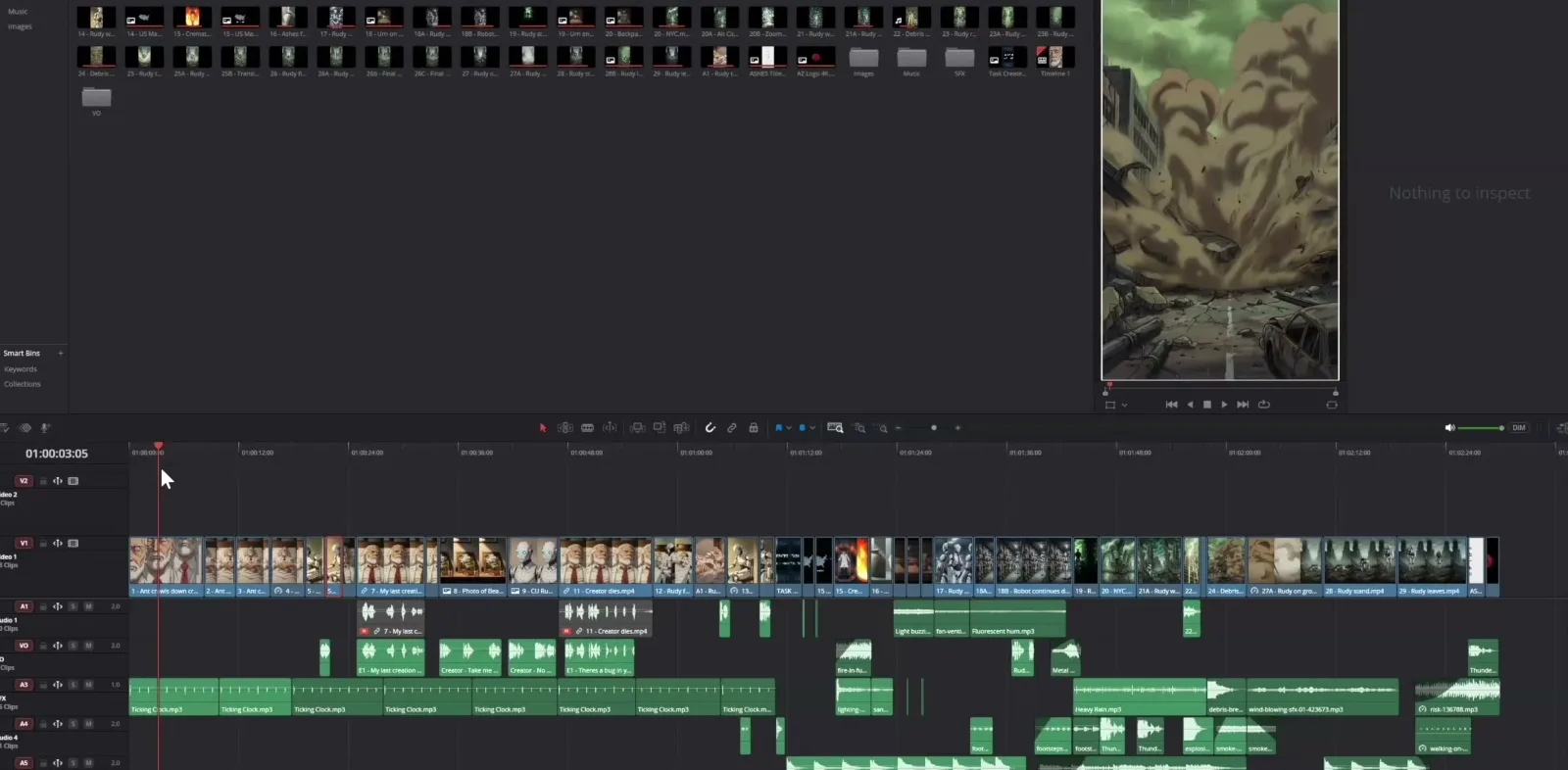
Mastering AI film editing and consistency requires organizing generated clips, adjusting pacing, and reusing shots in video software. Austin Zartman, creator of the AI series ASHES, emphasizes that maintaining stylistic consistency across different AI models builds audience trust. Creating a cohesive project means developing unique, non-derivative character designs and managing a strict timeline workflow. The AI defaults to average interpretations, so creators must force specific visual rules to achieve professional results.
What You Will Learn About AI Film Editing and Consistency
Learning AI film editing and consistency involves specific technical steps to manage generated assets.
- Assemble and manipulate AI-generated video clips in an editing timeline.
- Maintain visual and stylistic consistency across multiple AI generation tools.
- Develop unique, non-derivative character styles using iterative prompting and style references.
- Optimize the video generation workflow by running multiple platforms simultaneously.
Assembling the Timeline in Da Vinci Resolve
Bring your generated clips into Da Vinci Resolve or CapCut to organize the visual story and adjust pacing by reversing or reusing shots. Proper AI film editing and consistency relies on strict file management before the edit begins.
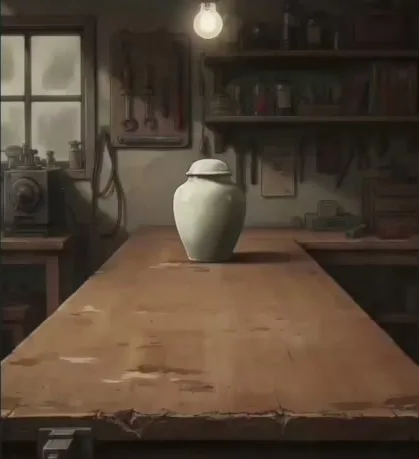
A prop shot from ASHES. Props like the urn have to match from shot to shot.
Step 1. Number all generated video clips in your file system for easy management. Numbering files keeps your assets organized before you bring them into the editor. This file management prevents confusion when sorting through hundreds of short generations.
Step 2. Upload the numbered clips into an editing program like Da Vinci Resolve. Import the organized files into your software. You can also use CapCut, Premiere, or Final Cut. Using these tools allows you to manage the AI outputs effectively on a timeline.
Step 3. Place the clips on the timeline sequentially to assemble the base story. Assemble the base story by dropping the numbered clips in order. This is where you start to see the visual story from beginning to end.
Step 4. Trim clips to the exact length needed, cutting out unnecessary generated frames. To achieve professional AI film editing and consistency, trim clips to the exact length needed. You may generate a 10-second clip but only need 3 seconds of it. Trimming removes the excess frames and tightens the pacing of the final cut.
Step 5. Reverse specific clips to reuse shots without paying for new generations. Play clips backward in the editor to reuse movements. This is useful for simple movements like a character turning their head back to a starting position. This prevents the need to run a new prompt through the video generator.
Developing an Original Character Style
Create unique character designs ethically by combining multiple styles and using Midjourney style reference codes to ensure visual consistency. The AI requires highly specific, detailed prompts to avoid outputting generic or average responses.
Step 1. Start with a base prompt for your character, knowing the AI will initially provide a generic response. The AI defaults to the most average interpretation of your prompt. Knowing the AI will initially provide a generic response prepares you for the necessary iteration.
Step 2. Iteratively add specific details to push the design away from existing IP. Push the design away from existing IP by adding granular text descriptions. Specify elements like shell type, clothing, and facial features. Low context language requires these highly specific, detailed prompts to avoid average responses.
Step 3. Generate dozens of variations until the character feels completely unique. Iterate until the character feels completely original. It may take up to 100 generations to find the perfect, original look. Do not accept the first output.
Step 4. Use Midjourney's style reference codes to lock in the final visual style for consistency. Midjourney style reference codes are essential tools for AI film editing and consistency. This ensures the character looks the same across different scenes and environments.
Step 5. Run the final images through an IP-checking tool to ensure they don't violate existing copyrights. Ensure the designs do not violate existing copyrights. Some platforms have built-in functions to check similarity to existing IP.
Optimizing Workflow Across Multiple Platforms
Using multiple platforms at the same time speeds up video rendering and improves efficiency. Parallel generation is a core component of efficient AI film editing and consistency. Waiting for one video clip to generate before starting the next wastes production time.
A two-and-a-half-minute AI episode typically takes about six days to make. Approximately three of those days are spent purely on image generation. Running parallel generations across platforms like Magnific and Leyline simultaneously cuts down this waiting period.
When generating video, 1080p is ideal for AI video. 720p is the minimum acceptable resolution for mobile viewing without noticeable quality loss. Creators often worry too much about 4K resolution for mobile-first content, which slows down the generation process unnecessarily.
Key Terms in AI Film Production
Understanding the vocabulary of AI film production clarifies the technical workflow for AI film editing and consistency.
- Editing Phase. The stage of fine-tuning the story by cutting, speeding up, slowing down, or reversing AI-generated clips on a timeline.
- Reversing Clips. A technique to reuse generated shots (e.g., a character turning their head) by playing them backward in an editor to save money and time.
- Da Vinci Resolve. A professional video editing program with a robust free version, commonly used to assemble AI clips.
- CapCut. A lightweight video editor with built-in generative AI tools, popular among AI creators for being less intensive on computer hardware.
- Stylistic Consistency. Ensuring characters and environments look identical across different shots and AI models, which builds audience trust.
- Google Veo / Omni. Video generation models noted for specific animation quirks, such as rendering water differently than other environmental elements.
- Parallel Generation. Using multiple platforms (e.g., Magnific, Leyline) at the same time to speed up video rendering and improve efficiency.
- Resolution Standards. 1080p is ideal for AI video, while 720p is the minimum acceptable resolution for mobile viewing without noticeable quality loss.
- Midjourney Style Reference Codes. Specific codes used in Midjourney to lock in and replicate a highly granular visual style across multiple generations.
- Low Context Language. The concept that AI models require highly specific, detailed prompts to avoid outputting generic or average responses.
Common Mistakes to Avoid
Failing to manage AI film editing and consistency leads to disjointed visuals and wasted credits.
- Relying on a single AI video model for all shots, which can lead to stylistic errors (like poorly animated water). Switch between models like Google Veo or Omni to handle specific elements.
- Accepting the first generic output from an image generator instead of iterating to create a unique character. You must iterate to combine multiple styles.
- Waiting for one video clip to generate before starting the next, rather than using multiple platforms simultaneously. Generating sequentially slows down production.
- Worrying too much about 4K resolution for mobile-first content, when 720p or 1080p is perfectly sufficient.
Frequently asked questions
Best video editing software for AI generated films
Da Vinci Resolve and CapCut are effective tools for AI film editing and consistency. These platforms allow you to assemble generated clips, adjust pacing, and reverse or reuse shots to build a cohesive visual story while saving generation credits during production.
How long does it take to make an AI animated short film?
A two-and-a-half-minute AI episode typically takes about six days to make. Approximately three of those days are spent purely on image generation. Using parallel generation across multiple platforms simultaneously helps speed up this process rather than waiting sequentially.
Best resolution for AI generated vertical videos
For mobile-first content, 720p or 1080p resolution is perfectly sufficient. Creators often make the mistake of worrying too much about achieving 4K resolution, which is unnecessary for vertical videos viewed on smaller screens and slows down the generation process.
How to ethically create original AI characters without copying IP
Originality comes from combining multiple styles together rather than copying a single source. Avoid accepting the first generic output from an image generator. Instead, iterate on your designs and use low-context language in your prompts to build a unique character.
Fixing AI video animation glitches with different models
Relying on a single AI video model for all shots can lead to stylistic errors, such as poorly animated water. To fix glitches, switch between different models like Google Veo or Omni to maintain AI film editing and consistency and handle specific elements better.
Comments
Sign in with your Leyline account to join the conversation.