A Guide to Essential AI Filmmaking Tools
AI filmmaking tools are applications that use artificial intelligence to help generate, manage, and assemble visual assets for film production. These tools are designed to assist creators by automating parts of the production process. They provide guided workflows that can be used even by those without a professional design background. The best AI filmmaking tools combine image generators, organizational pipelines, and systems for maintaining character consistency. This guide explains the core components of these tools and how to use them effectively.
What are the core components of an AI filmmaking toolkit?
The core components of an AI filmmaking toolkit are an image generator, an organizational pipeline, a system for tagged references, and a central asset repository. These elements work together to create and manage the visual elements of a film. A creator uses these components to move from a script to a final set of images.
Here are the essential parts of modern AI filmmaking tools:
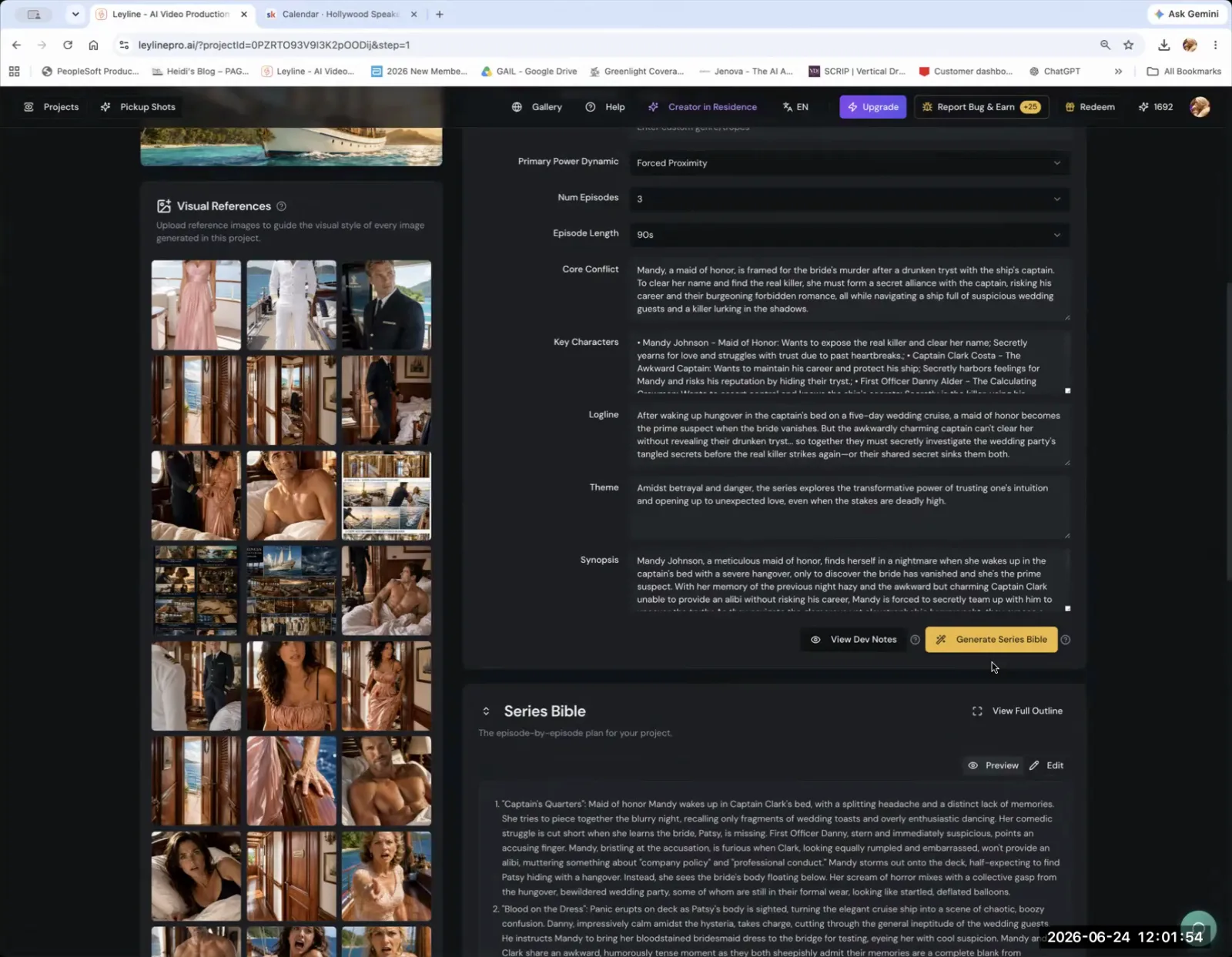
- Image Generator: This is the engine that creates visual assets. A creator might use a general tool like ChatGPT for initial concepts and then move to a more specialized generator within a filmmaking platform.
- Organizational Pipeline: This is the structure that connects generated images to specific shots in the script. Austin Zartman, creator of the AI short-film series ASHES, emphasizes that a good pipeline is critical. He explains, "the pipeline was designed so that the image matches the shot." This prevents confusion and ensures the software knows which image belongs to which part of the story.
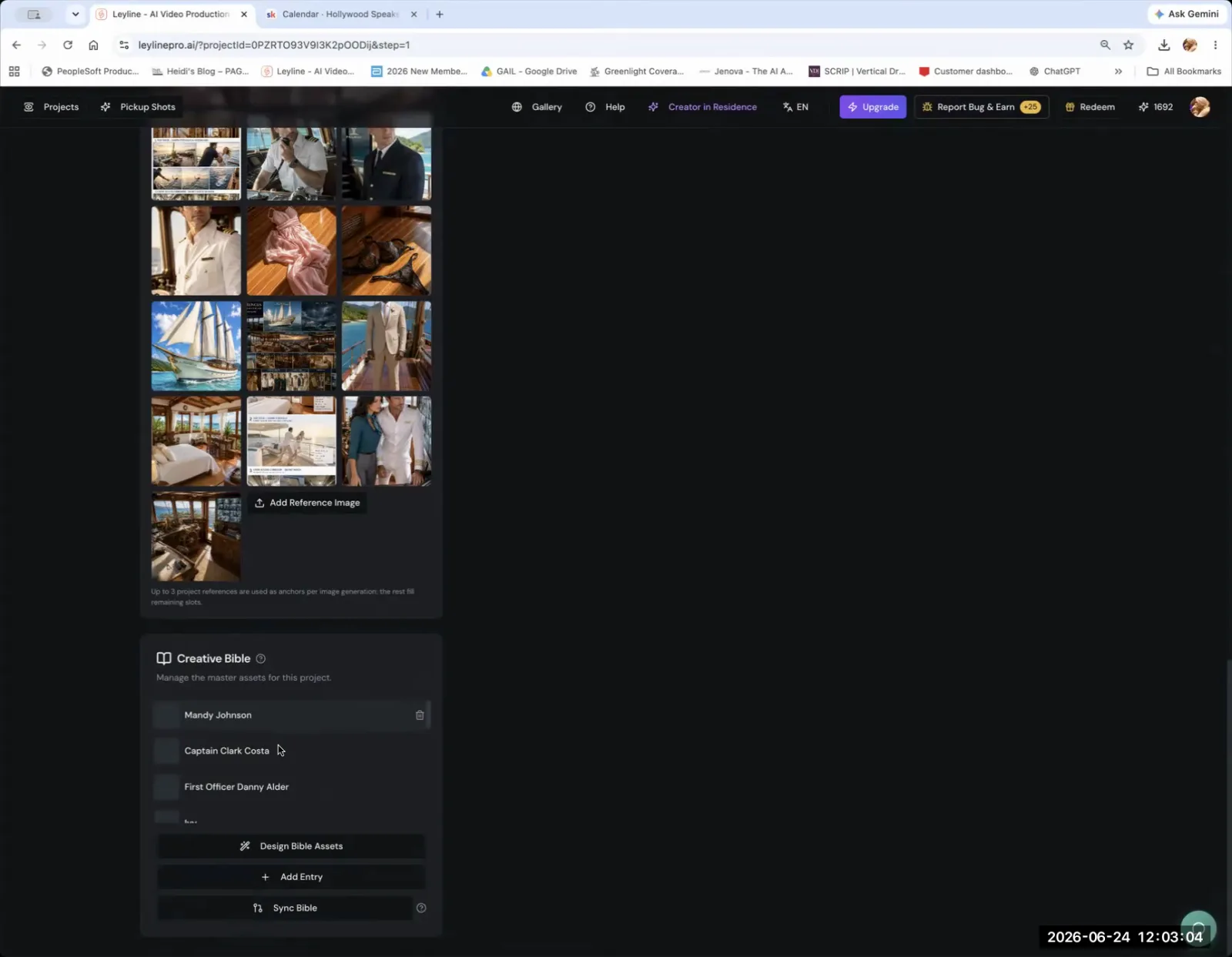
- Tagged References: This system helps maintain consistency. Creators can tag a character, like "Mandy," with specific reference photos. When they use that tag in a new prompt, the AI uses the stored photos to inform the generation.
- Central Asset Repository: Often called a "Creative Bible," this is where all character designs and key asset references are stored. Once this repository is populated, generating keyframes for new scenes or episodes becomes "much faster" because the designs are applied automatically.
How AI Filmmaking Tools Manage Character and Asset Consistency
AI filmmaking tools manage consistency primarily through tagged references and a library of approved assets. By creating a reference for a character and tagging it in a prompt, the image model is instructed to generate an image based on the stored reference photos. This is the fundamental technique for keeping characters looking the same from one shot to the next.
However, the process is not perfect. Consistency remains a significant challenge in AI filmmaking. Austin Zartman notes this limitation directly. "The one thing I don't really like the way it generates is because there's no consistency in the generation," he says. Zartman explains that even with good reference photos, the AI might change a character's outfit or appearance without instruction. Specialized AI tools, such as Leyline's program, are being built to better address this issue. Ultimately, human oversight is required. As Zartman states, "because this is AI, you need to check its work."
The User Interface of Modern AI Filmmaking Tools
Many modern AI filmmaking tools use an interactive, chat-based interface. This allows creators to communicate directly with the AI in a conversational way. This model helps guide users through the filmmaking process, making it more accessible.
The chat-based approach lowers the barrier to entry for storytelling. It is especially helpful for creators who are not professional designers or directors. As described in a masterclass by Austin Zartman, users "can be chatting with the AI to help them like to generate stuff." This method provides structure and support. The tool functions as an assistant, helping to translate ideas into visual assets through a guided, step-by-step process.
Built-in Continuity Features in AI Filmmaking Tools
Yes, some AI filmmaking platforms include features specifically designed to help with continuity. These tools work by identifying assets that are intended to be the same across different shots. The software can then provide suggestions to the user, flagging potential inconsistencies before they become a larger problem in the final product. This serves as a preliminary check on the AI's own generated output.
Despite these helpful features, they are not a complete solution. Austin Zartman cautions that these AI tools do not eliminate mistakes entirely. He explains that while the feature is useful, "it doesn't help you to avoid mistakes 100%." The creator must still manually verify the AI's output. This ensures all details, from character appearance to props, remain consistent throughout the film.
A Practical Workflow for AI Filmmaking Tools
A practical workflow involves idea generation, asset creation, organization in a specialized pipeline, and careful manual review. Using AI filmmaking tools effectively means combining the AI's generation speed with the creator's critical eye.
A typical workflow follows these steps:
- Concept and Scripting: The process begins with the human-led creative foundation. The story, characters, and shot list are developed first.
- Initial Asset Generation: Use general AI tools like ChatGPT to explore initial visual concepts for characters, settings, and props.
- Platform Integration: Upload the initial concepts into a dedicated AI filmmaking tool. This platform will provide the pipeline needed for shot management.
- Building the 'Creative Bible': Populate the central repository with the approved character and asset designs. This becomes the single source of truth for the project's visual style.
- Shot Generation with Tagging: Generate keyframes for each shot using specific prompts and character tags. The tags direct the AI to the reference images in the Creative Bible.
- Automated Continuity Checks: Use the platform's built-in features to scan for potential continuity errors between shots.
- Manual Verification: The creator performs the final, essential review of every generated image. This step is critical for catching subtle errors the AI might miss.
The Creator's Role in AI Filmmaking
When using AI filmmaking tools, the creator's role shifts from manual asset creation to that of a director, curator, and quality controller. The AI handles much of the rendering, but the creative vision and final approval remain with the human.
The creator has several key responsibilities in the AI filmmaking process:
- Creative Direction: The core vision for the film still comes from the human. The AI is a tool to execute that vision, not invent it.
- Prompt Engineering: Crafting clear and precise text prompts is essential to guide the AI toward the desired outcome.
- Asset Curation: The AI will generate multiple options. The creator must select the best generations and reject those that do not fit the film's aesthetic or narrative.
- Final Oversight: As Austin Zartman emphasizes, checking the AI's work is non-negotiable. This final review ensures quality, consistency, and coherence in the finished product. These AI tools are powerful assistants, but they require human partnership to produce a professional result.
Frequently asked questions
What is the "Layline process" in AI filmmaking?
The "Layline process" refers to the specific AI-driven workflow and generation toolset within the Leyline platform. AI filmmaker Austin Zartman recommends using this integrated process for generating images to achieve better consistency and quality compared to more generalized tools.
What is a "Creative Bible" in AI filmmaking?
A "Creative Bible" is a central repository within an AI tool where you store all character references, designs, and key asset information. By filling it in for a project, subsequent generation of keyframes or episodes becomes much faster, as the AI automatically applies the established designs.
How do AI image models maintain consistency?
AI image models primarily maintain consistency through tagged references. When a creator includes a specific tag for a character or asset in a prompt, the model is directed to use the pre-loaded reference images associated with that tag to inform the new generation.
Can AI tools perfectly maintain character consistency?
No, AI tools cannot yet perfectly maintain character consistency. Even when provided with detailed reference photos, AI models can still generate inconsistencies in appearance or clothing. Creators must manually review and verify the AI's output to catch these errors.
Keep learning
This guide is part of the AI Filmmaking Workflow & Asset Management masterclass lesson.
Related guides:
Comments
Sign in with your Leyline account to join the conversation.