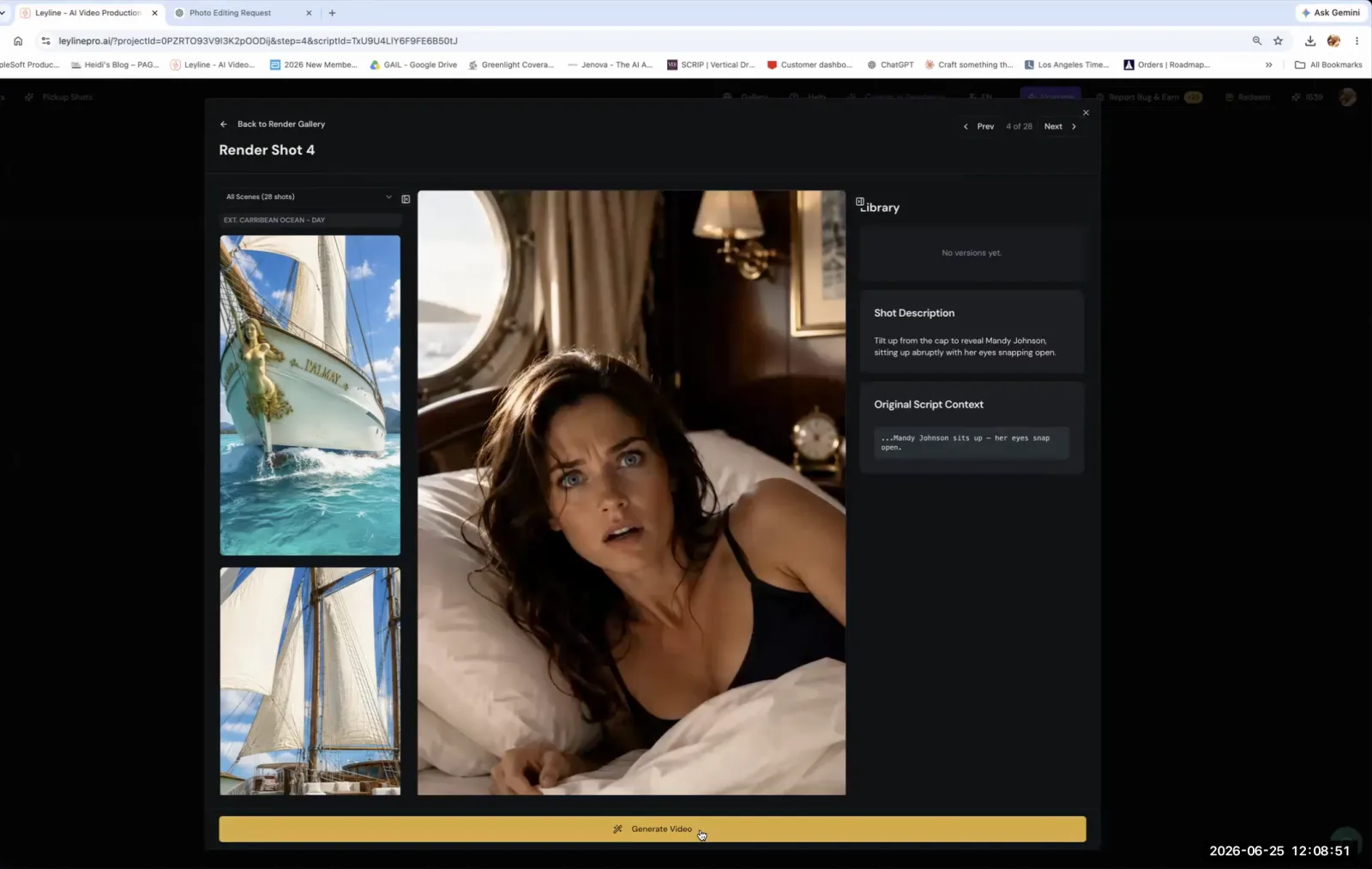
An AI video generator is a tool that creates short video clips from text or image-based instructions, known as prompts. In the context of AI filmmaking, these generators are used to produce the individual shots that will later be edited together to form a complete scene or film. The process is iterative, requiring filmmakers to carefully craft prompts and generate footage for each shot in their project, often making several attempts to achieve the desired visual outcome.
How do you start the video generation process?
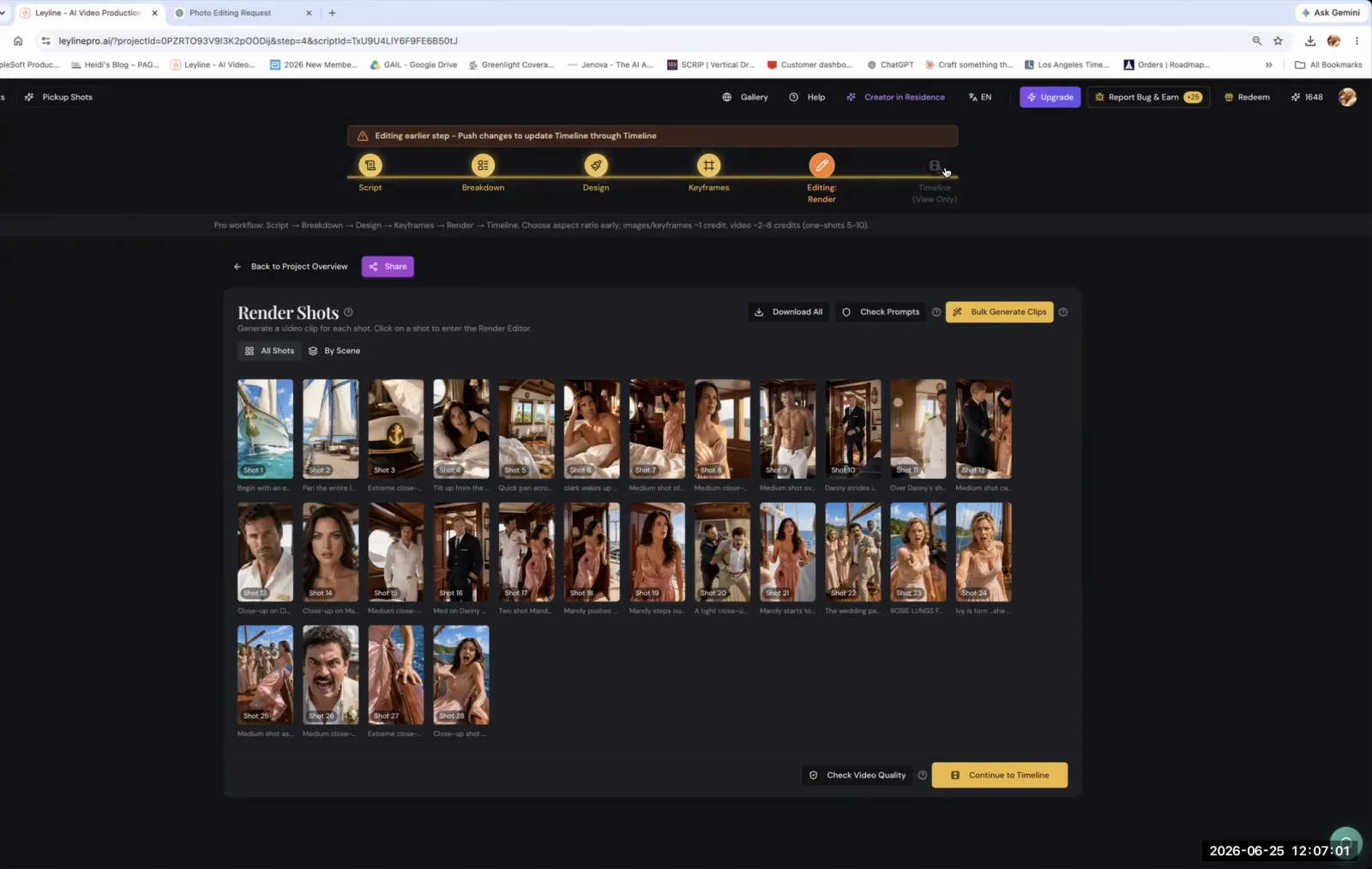
You start the video generation process by activating the generation command within your tool, which is often a prominent button in the user interface. For example, AI filmmaker Austin Zartman points to a specific UI element in his workflow, asking students to look for the "big yellow button that's at the bottom of the page" to initiate a render. This action triggers the AI model to interpret your prompt and begin creating the video clip. The fundamental task for the filmmaker at this stage is to systematically work through their shot list. As Zartman states, "you got to generate video for all these shots," treating each one as a distinct creation that requires its own prompt and generation cycle.
Should you generate AI video clips in bulk or individually?
You should generate AI video clips individually for each shot to maintain creative control and ensure quality. While some tools offer a bulk generation feature, Austin Zartman advises against it for serious projects. "You can bulk generate as well, but then you can't really check the shots," he explains. "So I would suggest doing it for each of these." Generating shots one by one allows you to immediately review the output, identify any inconsistencies or errors, and refine the prompt before moving on. This methodical approach prevents wasting time and resources on generating a large batch of unusable footage and gives you a critical checkpoint for quality control after every single shot is created.
How long does it take for an AI video generator to create a clip?
Generating a single AI video clip typically takes about a minute or two, though this can sometimes be longer depending on the complexity of the prompt and the load on the system. A key feature of this process is that it runs in the background. According to Austin Zartman, "It's probably about a minute or two and sometimes longer, but you can close this and go into another shot because it happens in the background when you generate other shots." This allows for a more efficient workflow, as you are not forced to wait for one clip to finish rendering before you can start preparing and launching the generation for the next shot in your sequence.
How do you write effective prompts for an AI video generator?
To write effective prompts for an AI video generator, you must be as specific and redundant as possible, leaving nothing to the model's imagination. This involves detailing character actions, camera angles, lighting, and environmental elements with precision. Zartman advises, "be as specific as possible and be as redundant as possible in your prompt." He compares the ideal prompting method to a famous movie scene: "like when when when Sally orders a salad in in Harry, Harry met Sally, like that. That's how you prompt." This means explicitly stating every component of the desired image, even if it seems obvious. This detailed approach minimizes ambiguity and increases the probability that the AI will generate a video clip that aligns with your creative vision.
Is the first AI-generated video usually the final version?
No, the first video generated from a prompt is almost never the final version. The process of using an AI video generator is highly iterative, requiring you to review the output, rewrite your prompt, and regenerate the clip multiple times. You should expect that your initial prompts will not produce the perfect shot on the first try. As Zartman notes, "you're going to have to go back and rewrite these prompts a couple times because the shots are not going to come out the first time." If the generated clip doesn't match your vision, the solution is to refine the language in the prompt and try again until the result is satisfactory.
Frequently asked questions
What is the best way to prompt an AI video generator? The best way to prompt an AI video generator is to be extremely specific and redundant. Describe every visual element you want in the scene, including lighting, camera angles, and character actions, leaving no room for interpretation. AI filmmaker Austin Zartman compares this to the detailed salad order in the film When Harry Met Sally.
How long does it take to generate a video with AI? It typically takes about one to two minutes to generate a short video clip with an AI tool, although it can sometimes take longer. The generation process usually runs in the background, so you can continue working on other tasks while you wait.
Should I generate all my video clips at once? It is recommended to generate video clips individually rather than in bulk. This allows you to review each shot for quality and accuracy immediately after it's created. Generating one by one gives you more control over the final product and prevents wasting resources on a large batch of flawed clips.
Can I work on other shots while one is generating? Yes, you can work on other shots while a video clip is generating. Most AI video generation tools process requests in the background, freeing you up to prepare and launch subsequent shots in your project without having to wait for the previous one to complete.
Keep learning
This guide is part of the Troubleshooting and Iterating on AI Video Generation masterclass lesson.
Related guides:
Comments
Sign in with your Leyline account to join the conversation.