How to Make Vertical Dramas with AI: A Step-by-Step Guide
To make vertical dramas with AI, you must follow a structured, iterative process of generating individual video clips, refining them with detailed prompts, and assembling them into a coherent narrative. This approach uses AI video tools to produce each shot from text descriptions rather than traditional filmmaking methods.
The workflow, used by AI filmmaker Austin Zartman for his short-film series ASHES, requires careful planning in a breakdown phase, followed by cycles of generation and review. It is specifically tailored to build a complete story for the vertical 9:16 format.
How many shots do you need for a vertical drama?
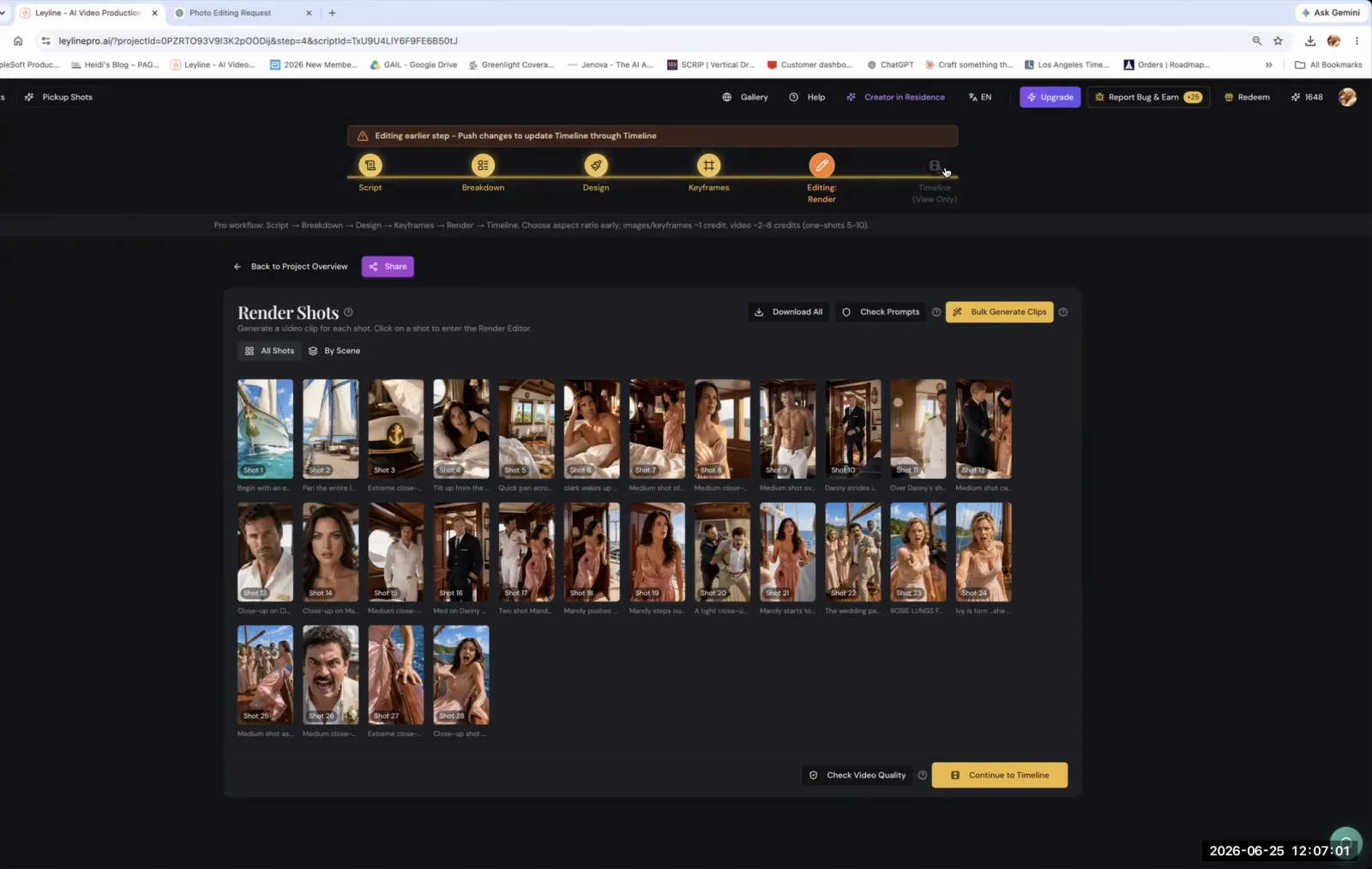
A typical vertical short drama is composed of about 40 shots. AI filmmaker Austin Zartman states this number is a solid guideline for creating a story with enough pacing and visual variety for the 9:16 format. This count ensures the narrative moves quickly enough to hold viewer attention on mobile platforms where vertical content is consumed.
This is not a rigid rule. You can use fewer shots if they are more complex or longer. A single generated clip that is 10 to 15 seconds long and contains multiple actions can serve the purpose of several shorter shots. If a character walks into a room, picks up an object, and then exits, that one clip might replace three distinct shots in your breakdown. Zartman explains, "if your shots have like... each shot is like three shots actually connected together, then that's fine."
The main goal is ensuring the final piece is long enough to tell its story. Stringing together a few very short, simple clips will likely result in a disjointed narrative. The 40-shot target provides a reliable starting point for planning your project when you make vertical dramas with AI.
Generating Each Shot: A Key Step to Make Vertical Dramas with AI
You should generate each shot for your story individually instead of using a bulk generation feature. This deliberate, one-by-one approach is fundamental when you make vertical dramas with AI because it allows for precise quality control at every step. According to Austin Zartman, while bulk generation is an option in some tools, it prevents you from carefully reviewing the output. He advises, "I would suggest doing it for each of these."
Generating shots individually provides several key advantages:
- Quality Assurance: You can immediately check if the generated AI video clip matches your creative vision in terms of character consistency, setting, and action.
- Resource Management: It prevents wasting time and generation credits on a large batch of unusable footage that resulted from a flawed prompt.
- Iterative Improvement: It allows you to refine your prompting technique for each shot. If a generation fails, you learn what to adjust for the next attempt.
- Coherence: You can ensure that each shot logically connects to the previous one, building a coherent visual narrative from the ground up.
This methodical process ensures that every clip in your rough draft is usable and aligned with your script's breakdown, leading to a much higher-quality final product.
How do you write effective prompts for AI video generation?
To write effective prompts for AI video generation, you must be as specific and redundant as possible. This practice gives the AI model detailed instructions to generate an image that closely matches your vision. Minimalist prompts are unlikely to produce the specific results needed for a narrative film. Austin Zartman advises treating prompt writing with extreme detail, ensuring every critical element is described clearly.
Zartman provides a memorable analogy: "when Sally orders a salad in... When Harry Met Sally, like that. That's how you prompt." This refers to the character's highly specific and customized order, illustrating the level of detail required. Don't just ask for "a man in a room." Instead, describe:
- The Character: Appearance, clothing, expression, and action.
- The Setting: The room's style, lighting, time of day, and key objects.
- The Cinematography: Camera angle (e.g., "low-angle shot"), lens type (e.g., "35mm lens"), and overall mood ("cinematic, moody lighting").
Prompt writing is an iterative process. You will likely need to rewrite your prompts several times for each shot. As Zartman notes, "the shots are not going to come out the first time." Be prepared to refine your text, adjust parameters, and regenerate until the output is correct. This cycle of trial and error is a core part of the creative workflow when you make vertical dramas with AI. For a deeper look at prompt craft, see how to write AI video prompts.
What is the workflow for refining a vertical drama?
The workflow for refining a vertical drama is an iterative cycle of generating shots, reviewing them in a timeline, identifying gaps, and adding more shots as needed. This process allows you to build the film piece by piece and make creative adjustments along the way. After generating your initial set of shots one by one, the next step is to assemble them in a video editing timeline for a preview.
This preview is critical for assessing the story's flow. It shows where the narrative is lacking, where transitions feel abrupt, or where an emotional beat is missing. Understanding vertical storytelling principles will help you judge pacing in this format.
"You can see where you're missing, and you can go back to breakdown and add more shots if you need," Austin Zartman explains. When you identify a missing piece, follow a specific sequence to integrate the new shot into your project pipeline.
The refinement cycle looks like this:
- Identify a Gap: Watch your timeline and note where a new shot is needed to improve the story.
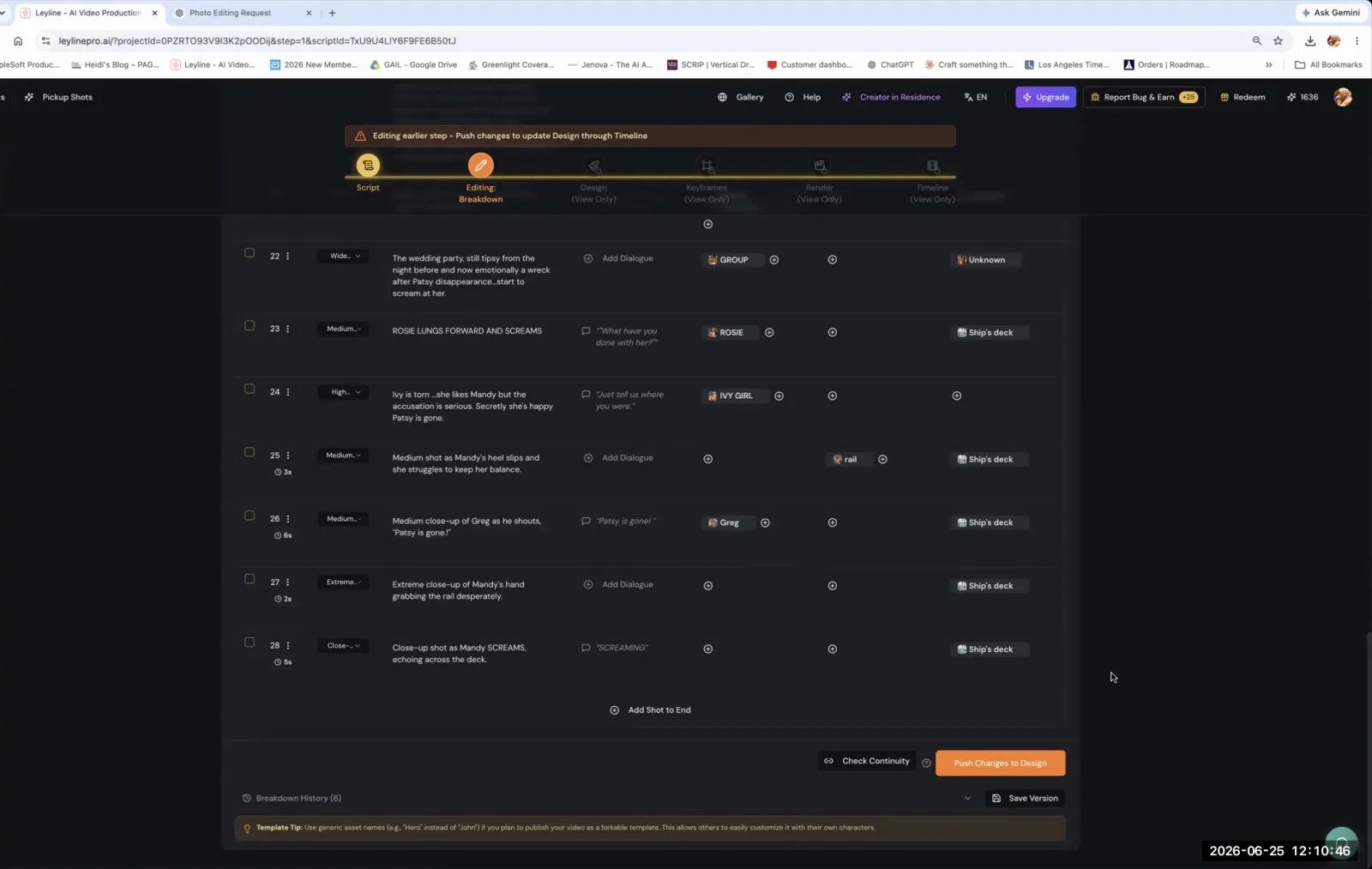
- Return to Breakdown: Go back to your script or shot list document (the breakdown stage) and add the new shot description.
- Push to Design: Update your design or storyboard stage to reflect the new shot.
- Push to Keyframe: Carry that change forward into the keyframe stage where you'll write the prompt.
- Generate and Insert: Generate the new AI video clip and insert it into your timeline.
Zartman emphasizes that you must "keep pushing changes forward" through the production pipeline. You repeat this entire cycle—reviewing, adding shots, pushing changes, and generating—until you have a complete rough draft that effectively tells your story. This methodical iteration is essential to make vertical dramas with AI that are polished and coherent.
Frequently asked questions
What is the first step to make a vertical AI drama?
The first step is to generate the video for all the individual shots you have planned in your story breakdown. This process creates the foundational visual assets for your film when you want to make vertical dramas with AI. According to AI filmmaker Austin Zartman, you must "generate video for all these shots" before you can begin assembling and refining your story into a vertical narrative.
Should I generate all my AI video clips at once?
No. Austin Zartman advises generating each shot individually to allow for quality control. This one-by-one method is a core principle if you want to make vertical dramas with AI effectively. He notes that while you can bulk generate, "you can't really check the shots" that way. Generating clips individually ensures each one meets your standards before you proceed.
How long is a typical vertical short film?
A vertical short film, or a vertical drama, generally consists of about 40 individual shots. This number can vary. If your shots are longer—for example, 10 to 15 seconds—or contain multiple complex actions within a single take, you might need fewer shots to tell your story effectively. The 40-shot count is a reliable benchmark for planning.
What if my AI-generated shots are not right?
Expect to rewrite your prompts and regenerate your shots multiple times. The process to make vertical dramas with AI is highly iterative. If a shot does not match your vision, you need to go back, write a more specific and redundant prompt, and try again. This refinement loop is a normal and necessary part of achieving the correct output for each shot when you make vertical dramas with AI.
Keep learning
This guide is part of the Troubleshooting and Iterating on AI Video Generation masterclass lesson.
Related guides:
Comments
Sign in with your Leyline account to join the conversation.