The Best AI Filmmaking Tools: An Expert's Toolkit
Choosing the right ai filmmaking tools is critical for an efficient workflow. The process of ai filmmaking combines traditional techniques with artificial intelligence to generate and edit content. This guide breaks down the best ai filmmaking tools, from video editors to voice generators. We draw directly from the practical experience of AI filmmaker Austin Zartman, creator of the AI short-film series ASHES, to show you which tools he uses and why. You will learn about professional editors, integrated platforms, and specialized AI services for ai projects.
DaVinci Resolve: The Best Free Video Editor for AI Filmmaking
DaVinci Resolve is the best free video editing program for ai filmmaking because of its professional-grade features. AI filmmaker Austin Zartman uses it as his primary editor. He notes, "the free version has so many tools and functionalities... I've been using it for the last eight months and I haven't found a need to use the paid version." This makes it a powerful and cost-effective hub for assembling AI-generated clips and other assets, a core task when using various ai filmmaking tools.
DaVinci Resolve offers a full suite of professional tools at no cost. This includes industry-standard features for editing, color correction, visual effects (VFX), and audio post-production. Unlike other platforms that might limit free users, Resolve provides a comprehensive package.
For an AI filmmaker, this access is a significant advantage. You can import sequences of images or video clips you generate and perform complex edits. The powerful color grading tools are especially useful for unifying the look of shots created by different AI models, which often have distinct visual styles. The audio tools allow you to build a rich, layered soundscape to bring your AI-generated worlds to life.
This approach avoids software costs. Austin Zartman highlights that DaVinci is "a free tool that you can use and you're not paying for anything on there." This differs from the credit-based systems in many other ai filmmaking tools. It allows filmmakers to experiment without the financial pressure of using credits for every edit or export.
CapCut: A Simpler AI Filmmaking Tool for Beginners
Yes, CapCut is a good tool for ai filmmaking, especially for new users or those who want a simple, integrated experience. Austin Zartman describes it as a "lighter program" that is less intimidating than professional software like DaVinci Resolve. Its main advantage is the set of built-in generative AI features, which let users create new clips directly inside the application.
However, CapCut's capabilities are more limited than professional software. Austin Zartman explains that the "ability to manipulate clips and sound effects and etcetera is a little bit more constrained." This means you have less fine-grained control over your final edit compared to a more advanced NLE.
Its business model is also different. Zartman notes, "everything that CapCut is doing is to try and get you to use the paid pro version." To generate AI assets within CapCut, you must use credits. This is a common model for ai platforms that can become costly with heavy use. Each generation or effect might deplete your credit balance, which can limit creative experimentation if you are on a tight budget. The free features are fewer than what DaVinci Resolve offers, making it a clear trade-off between different types of ai filmmaking tools.
Using Specialized AI Filmmaking Tools for Visual Styles
For generating specific visual styles, specialized or integrated ai filmmaking tools like CapCut's Dreamina can be very effective. General-purpose AI models sometimes struggle with niche aesthetics. The ability to achieve a precise look often requires testing different platforms, as each model has its own strengths.
Austin Zartman gives a specific example from his work. He needed to generate an image of an old-fashioned boot for a project. He recalls, "When I did it in Layline, it came out to be like these modern boots with track design... I couldn't get it to do like an old-fashioned boot. But in Dreamina, I was able to."
This experience shows that no single tool is the best for every task. An ai filmmaking workflow often requires a portfolio of different image and video generators. The success with Dreamina, a tool within CapCut, shows that specialized ai filmmaking tools can have the right training data for a specific creative need. It pays to have multiple options available.
ElevenLabs: The Best AI Tool for Voiceover
The best AI tool for voiceover is ElevenLabs. Austin Zartman describes it as "hands down the best for voiceover." Its platform offers high-quality output and a great degree of control, making it an essential component for creating dialogue and narration in ai filmmaking.
ElevenLabs provides several advanced features that make it one of the best ai filmmaking tools for audio:
- Custom Voice Creation: Users can create entirely new voices from a text description. This is a powerful feature for defining unique characters and giving them a distinct identity, like Zartman's robot character, Rudy 5. He explains the process: "designing a voice, all you do is you enter in a description of your character and how you want them to sound."
- Performance Tuning: The platform allows for detailed control over vocal delivery. You can add emotional qualifiers like "happy, sad, excited" to a line of dialogue to change the AI's tone and inflection. This helps create more believable and engaging performances.
- Rhythm Control: The system recognizes punctuation and allows you to insert explicit pauses. This gives the filmmaker fine-grained control over the performance's rhythm and pacing, which is critical for effective storytelling.
Pixabay: A Source for Free Assets in AI Filmmaking
A reliable source for free, royalty-free assets like images, videos, music, and sound effects is Pixabay. For AI filmmakers who need to supplement their generated content, having a library of high-quality, free assets is essential. Austin Zartman confirms its value, stating, "Pixabay is the other site that I'm always using."
An ai filmmaking project requires more than just the main shots you generate. You often need sound effects to build the world, musical scores to set the mood, or stock video to fill gaps. These assets add production value and help create a more immersive experience for the viewer.
Using a repository like Pixabay ensures these supplemental assets are properly licensed for use. This helps you avoid potential copyright issues down the line. It is a foundational resource that supports the other core ai filmmaking tools in your workflow.
All-in-One AI Filmmaking Tools: The Leyline Platform
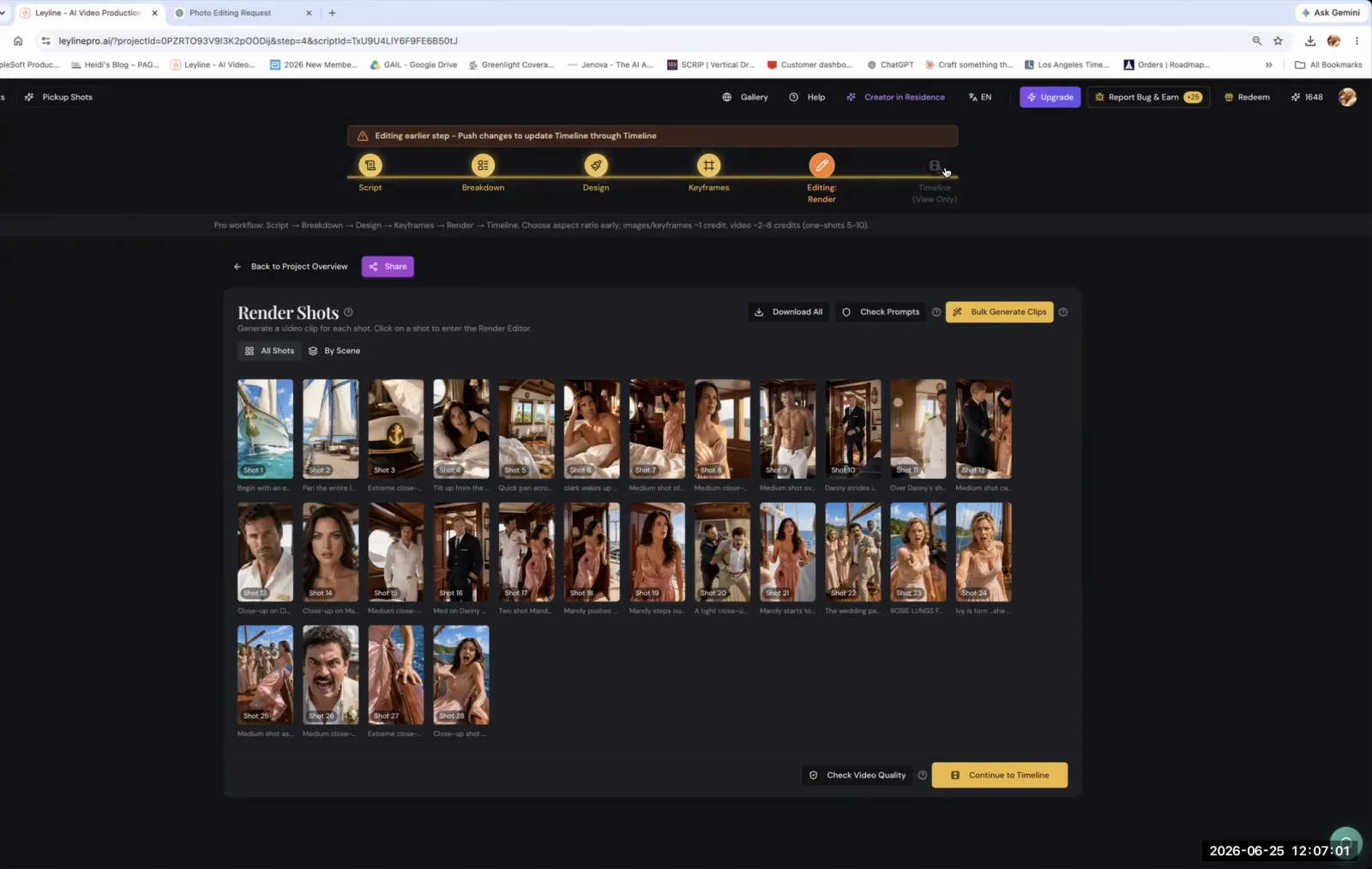
Yes, all-in-one platforms exist that integrate multiple stages of the ai filmmaking process. These ai filmmaking tools, such as Leyline, combine asset generation, editing, and sound design into a single workflow. The goal is to streamline the production pipeline by keeping everything under one roof.
A platform like Leyline allows a filmmaker to manage a project from start to finish. Austin Zartman points to an integrated audio feature as an example: "when you're in the timeline phase... you click on sound design. You have the ability to generate uh voiceover."
This tight integration can speed up the creative process. You avoid switching between different applications for every task. Instead of using separate ai filmmaking tools like ElevenLabs and DaVinci Resolve, you can generate and place audio directly on the timeline. This allows for faster iteration and experimentation, letting you test ideas quickly.
Frequently asked questions
What is the main difference between DaVinci Resolve and CapCut for AI filmmaking?
DaVinci Resolve is a professional, free non-linear editor with extensive features, ideal for complex editing without cost. CapCut is a simpler, beginner-friendly editor with built-in AI generation tools, but it operates on a credit-based system that pushes users toward its paid version for full functionality.
What tool does Austin Zartman recommend for AI voiceover?
AI filmmaker Austin Zartman recommends ElevenLabs, calling it "hands down the best" for voiceover. He uses its features to design custom character voices from text descriptions and to add specific emotional inflections and pauses to the dialogue for a more nuanced performance.
Can you generate video clips inside an editing program?
Yes, some editing programs like CapCut have integrated generative AI features. This allows users to generate new video clips directly within the software's interface, which can streamline the workflow by eliminating the need to use a separate, external AI video generation tool.
Are there good free resources for AI filmmakers?
Yes, there are excellent free resources. DaVinci Resolve offers a complete professional editing suite for free. For assets, Pixabay provides a large library of royalty-free stock images, videos, music, and sound effects that can be used to supplement AI-generated content in film projects.
Keep learning
This guide is part of the Editing and Sound Design masterclass lesson.
Related guides:
Comments
Sign in with your Leyline account to join the conversation.