How AI Used in Movies Works: A Guide to Visual Production
The practical application of ai used in movies is focused on visual production, helping filmmakers translate scripts into images and video. This process involves using the AI to generate shot lists, create consistent visual assets, and produce the key frame images for the final video sequences. These tools streamline the creative process, giving filmmakers more control. In his AI filmmaking masterclass, Austin Zartman, creator of the AI short-film series ASHES, demonstrates how these tools can move a project from script to screen efficiently.
Turning Scripts into Visuals with AI
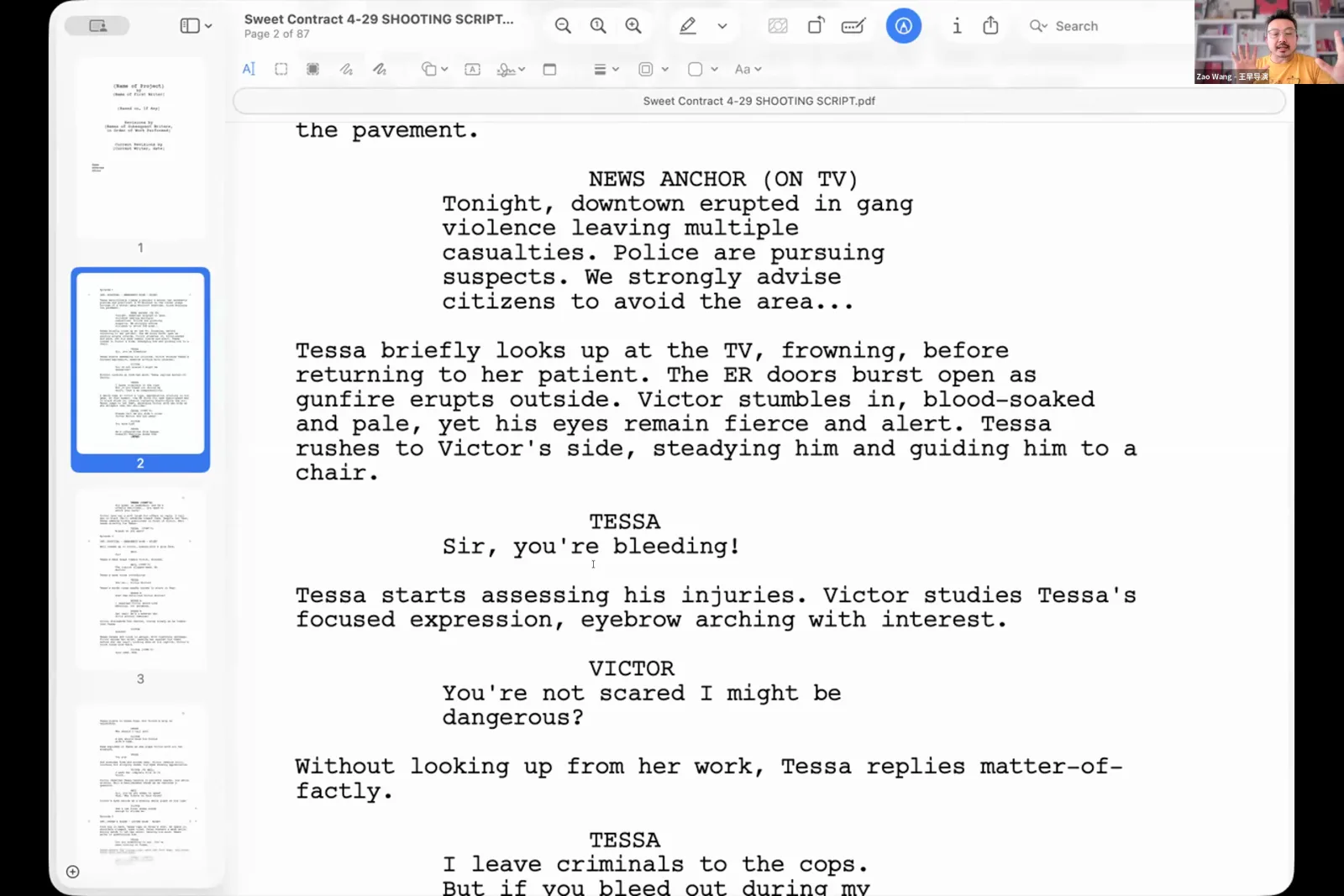
AI turns a script into visuals by processing an uploaded script file to automatically generate a detailed shot list. Platforms like Lailai can analyze the text and propose a sequence of shots. This automates a significant part of the pre-visualization process, a common task for ai used in movies, translating the narrative on the page into a concrete plan for visual production. This allows creative teams to iterate on visual ideas much faster than traditional storyboarding methods.
According to Austin Zartman, this function is a critical first step in his workflow. "You can upload that file into Layline," Zartman explains. "It'll process that and make the shot list for it." He provides specific guidance for filmmakers on the best settings. For a two-page script, Zartman recommends the 'cinematic' option to generate a list of 40 to 60 shots. He contrasts this with the 'balanced' setting, which may not create enough shots to cover the entire script. The 'cinematic' setting ensures comprehensive coverage. This AI-driven process provides a visual blueprint. However, filmmakers should treat it as a starting point. The list generated by the AI is a powerful tool, but creative oversight is still necessary to add, remove, or modify shots to fit the director's vision. This initial step can save hours or even days of manual work in pre-production.
How is AI Used in Movies to Generate Consistent Characters and Styles?
Generating consistent characters and styles with AI is achieved through a multi-step process involving reference images and descriptive style tags. This ensures a cohesive look across all shots, which is one of the biggest challenges in AI filmmaking. The process can be broken down into these key steps:
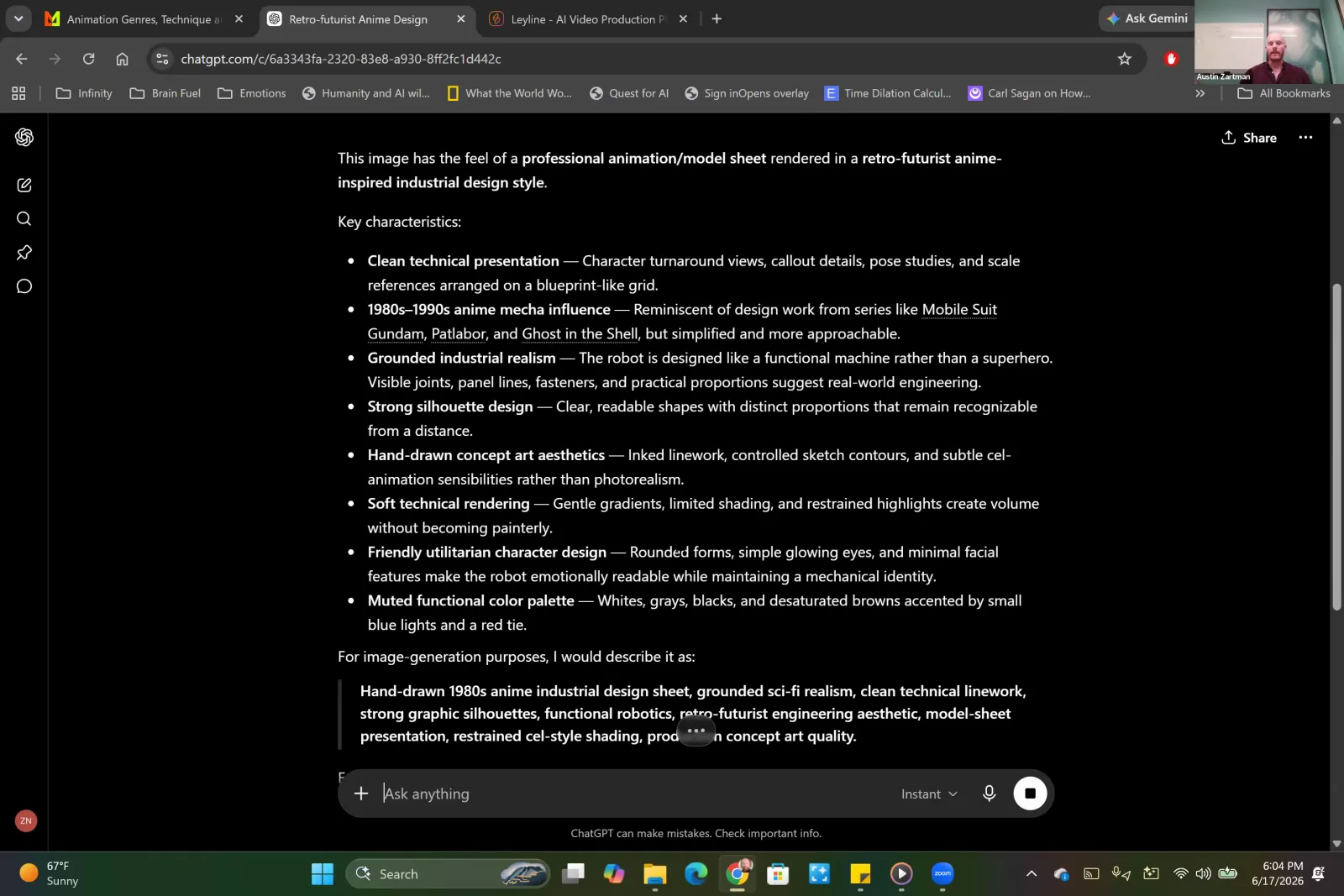
- Establish a Visual Style: Use a Large Language Model (LLM) like ChatGPT to analyze a reference image that captures the desired aesthetic. The LLM generates a one-sentence descriptive phrase, or 'style tag'.
- Apply the Style Tag: This phrase is then appended to every subsequent image generation prompt. This simple action maintains a uniform aesthetic across the entire project, which is vital for professional filmmaking.
- Generate Character References: Before creating any key frames, generate a set of reference images for all recurring assets, especially protagonists. Austin Zartman emphasizes this: "What you want to start thinking about... is generating the reference images for the assets that you're going to be using over and over again."
- Use Image-to-Image Generation: Upload the character reference image to the AI model with a prompt like, "add this character to the fairway of a golf course." This method is more reliable than describing the character in text for every new scene. Using an image as a source for the AI is a core technique for consistency.
- Create Character Sheets: From that single reference, you can have the AI generate a full character sheet with the protagonist from different angles. You can also create sprite sheets showing the character in various movements, like walking or crouching, to ensure they look the same in every shot. This level of detail is a practical example of how ai used in movies addresses common production challenges.
Creating AI Images for a Film: The Prompting Process
The process for creating AI images for a film involves generating a series of key frames that are then fed into AI video models to generate motion. This begins with writing highly detailed and specific prompts for the image generation model. The more detail provided, the less variability there will be in the output. This precision is essential when ai is used in movies to match a specific creative vision. Austin Zartman emphasizes that a prompt has two key components: "It's everything that is happening within that frame and it's where the camera is positioned." A successful prompt must include both narrative and cinematic instructions.
- Narrative Elements: Describe the character, their actions, their emotions, and the environment in detail.
- Cinematic Elements: Include specific camera terminology. This is a crucial part of controlling the output of the AI. Examples include:
high anglelow anglewide shotmedium shotclose-updutch angle
Including these camera directions directly in the prompt gives the filmmaker control over the composition and emotional tone of the generated image. These static images, or key frames, become the essential building blocks. They guide the AI video models in producing the final animated scenes, making the quality of the initial prompt a determining factor in the success of the final product. This meticulous approach to prompting is a core skill when ai is used in movies for visual storytelling.
How Filmmakers Refine AI-Generated Images
Filmmakers refine AI-generated images by following the '80/20 rule.' The AI model generates an image that is about 80% correct, and the filmmaker then performs manual edits to complete the remaining 20%. It is rare for an AI model to generate a perfect image in a single attempt. The practical goal is to get an image that is close enough to serve as a strong base for final adjustments. This human-in-the-loop workflow is standard practice for how ai is used in movies today.
"The odds of you generating and getting the perfect image are very low," Austin Zartman explains, "but the odds of you getting an image that is 80% of the way there that you can then edit into 90%, 95%... are much higher." Platforms like Lailai include specific editing tools, such as inpainting and outpainting, that allow for these refinements. For example, if a character is generated with the wrong color shirt or is missing their glasses, the filmmaker can use these tools to make targeted changes without regenerating the entire image. This iterative process of generating and then refining is a core part of the AI filmmaking workflow. It combines the speed of the AI with the precise control of a human artist, ensuring the final visuals meet professional standards.
Frequently asked questions
Can AI automatically create a shot list from a script?
Yes, AI platforms like Lailai can process an uploaded script file and automatically generate a comprehensive shot list. This is a key feature of how ai is used in movies to speed up pre-production. For a two-page script, AI filmmaker Austin Zartman suggests using a 'cinematic' setting to generate 40-60 shots, ensuring full coverage of the narrative.
How do you keep a character's appearance consistent with AI?
To maintain character consistency with the AI, you first generate a primary reference image of the character. This image is then used as a visual source in subsequent prompts, which is far more reliable than text descriptions alone. From this single reference, you can then generate full character sheets and sprite sheets for different angles and poses to guide the animation process.
Do AI-generated images for movies require manual editing?
Yes, AI-generated images for movies almost always require manual editing. Filmmakers use an '80/20 rule,' where the AI gets the image 80% of the way there, and the final 20% is achieved through specific edits. This is done using in-platform tools to adjust details like clothing, accessories, or facial features.
How does AI help define a film's visual style?
AI helps define a film's visual style by generating a 'style tag' from a reference image. You can use an LLM like ChatGPT to analyze an image that captures your desired aesthetic and create a one-sentence description. This sentence is then added to every image prompt to generate a consistent look and feel across all shots in the film.
Keep learning
This guide is part of the Visual Storytelling & Image Generation masterclass lesson.
Related guides:
Comments
Sign in with your Leyline account to join the conversation.