How to Get Consistent Characters AI Video: An Expert Guide
To get consistent characters AI video, you must use a workflow that combines detailed prompt engineering, careful AI model selection, and an iterative generation process. This remains a primary challenge in AI filmmaking because current technology does not guarantee perfect results every time. However, by applying specific techniques taught by AI filmmaker Austin Zartman, creators can significantly improve their outputs. This guide explains his practical methods for gaining more control over your character's appearance, actions, and environment, helping you get consistent characters AI video.
Why Is Character Consistency in AI Video So Difficult?
Character consistency is difficult because current AI models are not completely reliable and can easily misinterpret prompts. This often leads to bizarre errors in a character's appearance, clothing, and placement within a scene. Because the AI is still developing, its automated suggestions for fixes are not always correct, which means human judgment is essential to guide the process and successfully get consistent characters AI video.
AI filmmaker Austin Zartman confirms this is a common point of frustration for creators. He recalls a user's experience where the AI failed dramatically: "they put one of the my first officer, he's supposed to be in the bed in the cabin with the captain, and they put him in an office with a halo over him, barefoot, standing two inches off the ground." This example highlights how far the AI can stray from the intended prompt, making the task of creating a coherent narrative challenging.
Furthermore, the built-in tools designed to help are not foolproof. According to Zartman, while some platforms have a function to suggest what is wrong with a frame, it is only right about "six out of 10 times." He advises filmmakers to rely on their own judgment instead of blindly following the AI's advice. "It won't necessarily make it better if you completely follow it... The AI is not quite there yet," he states. This unreliability is a core reason why an iterative, hands-on approach is necessary to get consistent characters AI video.
A Practical Workflow to Get Consistent Characters AI Video
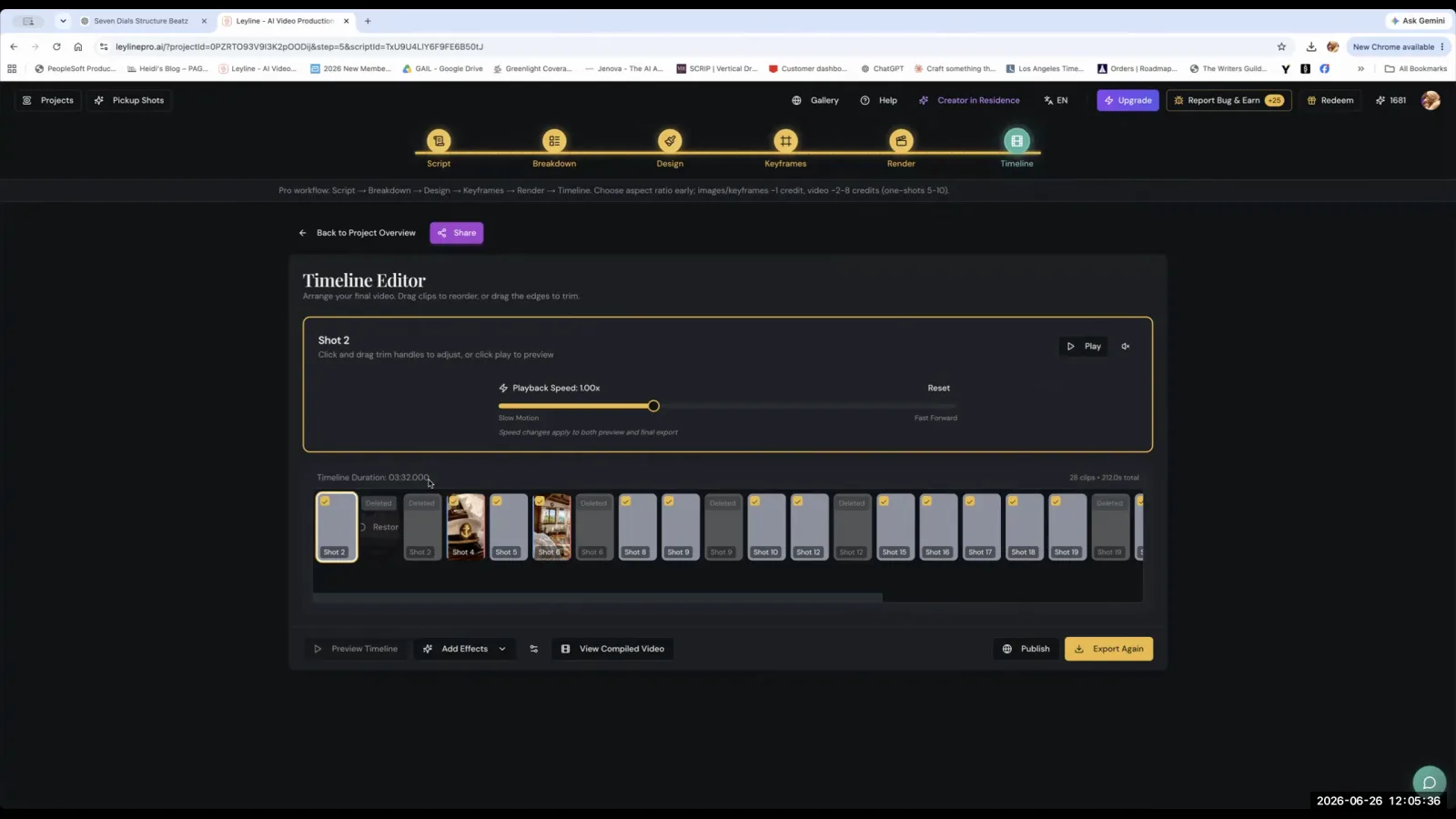
The most effective workflow to get consistent characters AI video involves using key frames with accurate reference images and then generating the video multiple times. This iterative process, known as performing "draws" on the model, is currently the most reliable way to achieve the desired look and maintain it across shots.
This method was emphasized as the standard during a Leyline masterclass. The core guidance is to work methodically and expect to make multiple attempts.
Here is a breakdown of the workflow:
- Establish Key Frames: Start with a solid key frame. Ensure your reference images for the character and location are accurate and clear. This gives the AI a strong visual foundation to work from.
- Perform Multiple "Draws": Generate the video clip. Review the output. If it is not consistent, generate it again. This is what Zartman refers to as doing "a few draws on the model." The goal is to cycle through generations until you get the best consistency possible, which is the essence of how you get consistent characters AI video.
- Select and Refine: Once you have a generation that is close to your vision, you can use it as the basis for further refinement or move on to the next shot.
This process acknowledges that the first generation is often imperfect. Austin Zartman confirms this reality, stating, "it's not 100% consistent 100% of the time... a couple of draws really is needed for this." Patience and a willingness to regenerate are key parts of the current AI video creation process.
How Do Prompts Affect Character Consistency?
Your prompts have a direct and significant impact on your ability to get consistent characters AI video. Vague, short, or "thin" prompts give the AI too much creative freedom, resulting in inconsistent and unpredictable outputs. To gain control, you must write highly detailed and specific prompts that precisely describe every important element of the scene.
Many automatically generated prompts are insufficient for high-stakes character work. Zartman explains, "The prompt is what it created from the script... it's not detailed enough for you to be telling it exactly what you want in that frame." He advises treating the AI video generator with the same level of detail you would use with a large language model like ChatGPT. An "overly simple" prompt will not produce good results. Instead, you need "a lot more detailed prompt on where everything is, uh, how this person is interacting with another."
To write an effective prompt for character consistency, include details such as:
- Character Position: Where is the character standing, sitting, or moving? Be specific (e.g., "on the left side of the frame," "behind the desk").
- Character Appearance: Describe clothing, hair, and key features, especially if they differ from the reference image.
- Actions and Interactions: Clearly state what the character is doing and how they are interacting with other characters or objects.
- Environment: Describe the lighting, background, and overall mood of the scene.
For example, instead of a simple prompt like "Marvin passes a pedestrian," Zartman suggests being "really, really specific." A better prompt would be, "Marvin passes a pedestrian given the gum point. Uh, he stands on the sidewalk." This level of specificity is crucial for directing the AI effectively and is a cornerstone of the effort to get consistent characters AI video.
Which AI Models Are Best for Character Consistency?
The AI model you choose to generate your video matters significantly when trying to get consistent characters AI video. Certain models are better suited for character work and offer more granular control. The models V, C dance, and cling are all considered good options, with C dance and cling offering superior controllability for creators who need precise results.
When asked about the best models, Austin Zartman and his team identified these specific choices. "V, C dance, cling, all are quite good," they noted. "If you want more controllability, cling and C dance are better."
This highlights a key principle: filmmakers should experiment with different models to see which one best handles their specific character and scene requirements. The choice of model is a critical variable in the consistency equation, working alongside your prompting strategy and iterative generation process. Not all models handle character anatomy, clothing, or facial features with the same level of fidelity. Finding the best model for character work in your project is a vital step.
How Can You Refine a Character's Position and Appearance?
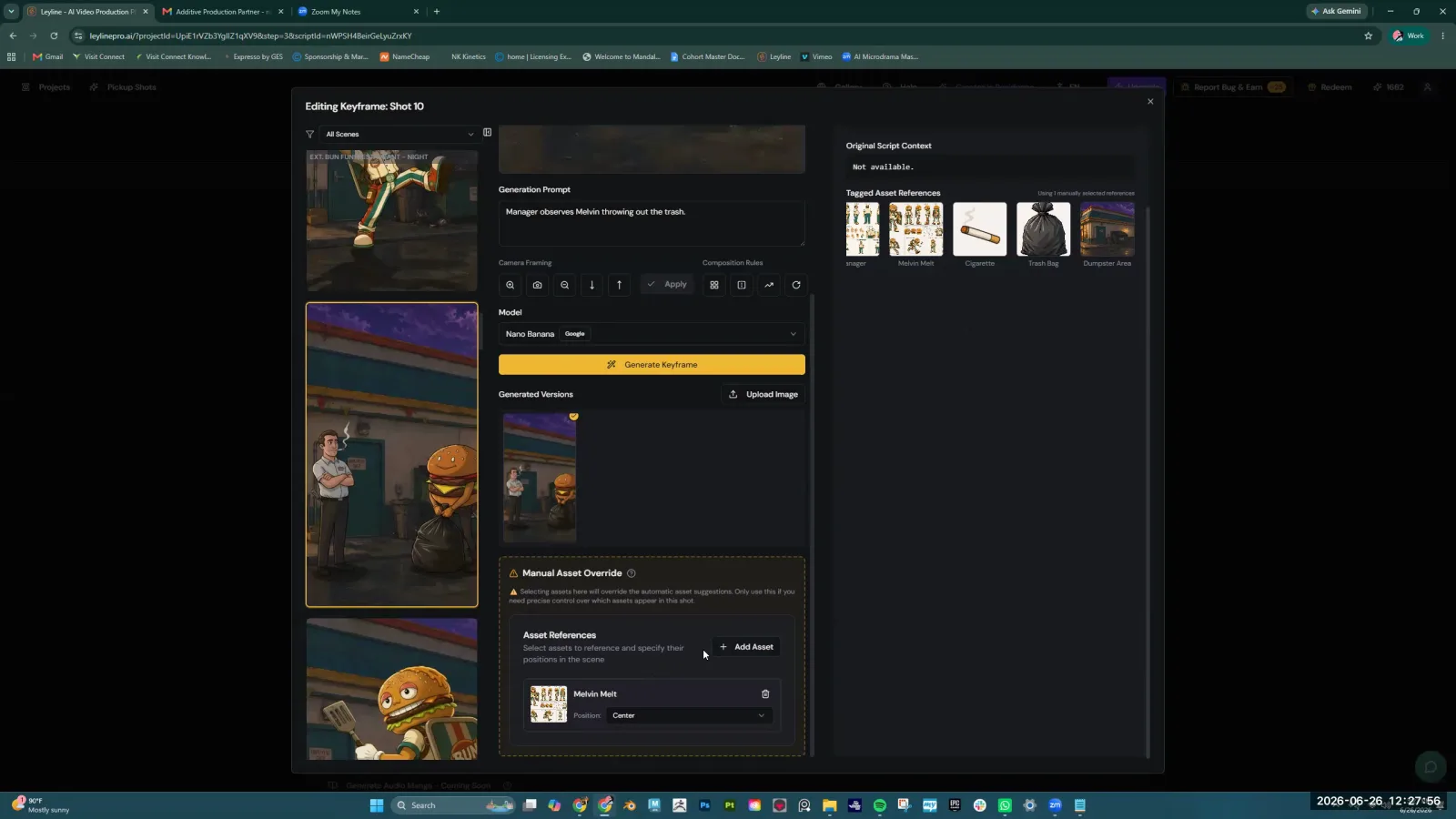
You can refine a character's details by manually overriding the AI's automatic asset tagging and using in-platform editing tools to make targeted adjustments. By reducing the number of active elements and using masking functions, you can guide the AI to focus on the specific details you want to correct, which is a powerful way to get consistent characters AI video shot by shot.
Here are two primary techniques for refining your output:
-
Manual Asset Override: One common issue is that the AI auto-tags too many assets in a key frame, which can confuse the generation process. The recommended solution is to "be going to the manual override. Uh, and then choose like one or two characters and the location that you actually need here." This simplifies the instructions for the AI, telling it to prioritize only the most important elements in the frame. This reduces the chances of it generating strange artifacts or misinterpreting the scene.
-
Masking and In-Painting: For more direct editing, Zartman recommends using tools that allow for fine-tuning within the image itself. He suggests you can "draw the mask and edit the image, picture function" to get the shot right "step by step a little better." This involves using a feature often described as "the draw a little circle on your image thing" to isolate and regenerate a specific part of the frame. For example, if a character's hand or face is distorted, you can mask that area and have the AI regenerate only that part, leaving the rest of the consistent scene intact. This targeted approach is essential to get consistent characters AI video without starting from scratch.
Frequently asked questions
Is AI character generation 100% consistent?
No, AI character generation is not 100% consistent. The process to get consistent characters AI video requires human oversight and an iterative workflow. As AI filmmaker Austin Zartman states, achieving consistency often requires performing "a couple of draws" or generations. The technology is still developing.
How important is the detail in my prompt?
Prompt detail is critically important for character consistency. According to experts, prompts that are "too thin" or "overly simple" lead to poor results. To get consistent characters AI video, you need to be very specific about character placement, actions, and interactions, providing a level of detail similar to what you would use with ChatGPT.
Do I have to generate a character more than once?
Yes, you should expect to generate a character or scene multiple times. The recommended workflow involves doing "a few draws on the model" until you get the best consistency. This iterative process is currently the most effective method for refining AI-generated video and getting reliable character outputs.
What specific AI models are recommended for character control?
The models V, C dance, and cling are all recommended for good character generation. For creators who need more granular control over their characters, both C dance and cling are considered better options. The choice of model is a key factor in your ability to get consistent characters AI video.
Should I trust the AI's automatic suggestions to fix my video?
You should use your own judgment. While AI platforms may suggest fixes, these suggestions are only correct about six out of ten times, according to Austin Zartman. It is crucial for the filmmaker to manually assess the output and make decisions, as the AI's advice will not necessarily improve the result.
Keep learning
This guide is part of the Troubleshooting AI Video Generation masterclass lesson.
Related guides:
Comments
Sign in with your Leyline account to join the conversation.